
From NPS -18.6 to 31.4.
Redesigning ALLEN's ASTRA (ERP system) for a 91.2% increase in NPS
View TL;DR
Quick summary of this project
What does ALLEN do?
ALLEN is a premier Indian coaching organization renowned for its excellence in preparing students for competitive exams like IIT-JEE, NEET, Olympiads etc. ALLEN has global centers in the UAE, Saudi Arabia, and Kuwait also. ALLEN has grown into a national leader with over 285 classroom campuses across 65 cities.
Project Overview
What
Redesigning ASTRA (ALLEN's ERP Portal) to help Teams work Faster and Smarter
At ALLEN, internal teams rely on an ERP system (ASTRA) to plan and manage their work. But the most of the modules—used daily by operations, academic, and marketing teams—was slow, confusing, and inconsistent.
As the lead product designer, I led the end-to-end redesign of the entire portal's experience.
I worked closely with users and stakeholders to understand their pain points, ran design iterations, and introduced a simpler, more consistent interface.
The result? Teams could plan faster, make fewer mistakes, and stay more aligned—leading to measurable improvements in productivity and satisfaction.
Overall Impact
91.2%
Increase in NPS Score
from -18.6 to 31.4

~33%
Reduction in TAT for
designs and devs
40.3%
Reduction in errors
ASTRA's Users
ASTRA is an all-in-one internal tool designed to streamline workflows, offering features such as class scheduling, course management, test creation, and promotional offer handling. It allows admins, teachers, and product operations teams to manage everything from course content and student progress to creating marketing pages for the website. It is the backbone of ALLEN’s system.
MEET THE ASTRA USERS
01 Admins
02 Teachers
03 Product Ops
teachers
admins
product ops
students

ASTRA users
Internal users power support, operations and
teaching for students
End product users
Students get to learn from teachers, they reach
out to admins for support issues and product ops
enables seamless buying experience
Problem to solve
ASTRA was failing to meet the productivity needs of internal teams which made them frustrated with inconsistent flows, scattered touchpoints, and lack of clarity—leading to operations delays and poor accountability
Syllabus addition, Marketing page creation etc are complex to use which were resulting in more efforts. ASTRA hampered operational efficiency rather than enhance it, reducing the platform's overall effectiveness and user satisfaction.
All of this ultimately resulted in user dissatisfaction (students) with the app, leading to a loss in business and negative reviews.
My Role & Responsibilities
MY ROLE
Lead Product Designer
TEAM
2 PMs, 1 SPD, 2PDs
10+ Engineers & more
TIMELINE
~10 months
Research
Quality control and execution
Stakeholder alignment
Low and High fidelity designs
Framework creation
Strategy
Goals to achieve
USER GOALS
Reduction in task completion time by 35%
Previously, time taken to complete a task is really high and it varies from task to task. The idea was to reduce this time by 35% to make work more efficient
Reduction in errors
The aim was to reduce the numbers of errors done by the users to complete an action. The plan was to achieve it by making interface usability rich and intuitive
BUSINESS GOALS
Lower TAT for Design and Dev
By implementing new design system and templatisation of screens, overall TAT can be reduced for designs. Component-based development was used to reduce the TAT for devs
DESIGN GOALS
Increase in NPS from -18.6 to 30+
Our target was to get 30+ NPS score as industry standard for B2B or SAAS tool for Startup / Early Growth company is 10 to 30
The journey of achieving the goals
WHAT USERS REALLY EXPERIENCE
Let’s look at a real life scenario through
a storyboard
Shyam is an admin who handles the creation of classes and ensures the schedule runs smoothly throughout the year.

One day Shyam went to work
as usual 😄

He started working on his tasks and then received a call from teacher to schedule a class 😙

He created the class and went out for lunch 😌

Then he received calls from different teachers that there are clashes in classes and no places for students to sit 🫨

Students were confused where to go and hence few classes were cancelled wasting the time of teachers and students 🤔

Operator was scolded for his mistake and he felt frustrated and demotivated after that 😓
We faced similar issues with different features, which ended up causing a surge of negative reviews on both the Play Store and App Store.
The old process to create a class
This is one of the examples of how complex old flows were
Check this link in case above prototype does not load
Prototype link
Problem breakdown of old process
1.
Inconsistent UI design
A lack of design consistency across screens made it challenging for users to understand how to interact with elements and navigate the system.
2.
No user control and freedom
Users should be in control of the interface. They should be able to save their work and find easy exits from mistakes
3.
No visibility of system status
The design should always keep users informed about what is going on, through appropriate feedback within a reasonable amount of time.
4.
Recalling of information
The user should not have to remember information from one part of the interface to another.
5.
No error prevention
Good error messages are important, but the best designs carefully prevent problems from occurring in the first place.
6.
Slow load time
The system’s UI does not optimize for speed and efficiency, causing delays in user interactions and overall frustration.
How did we discover these problems
We tried multiple research methods to discover the underlying problems in each feature
1.
Heuristic evaluation
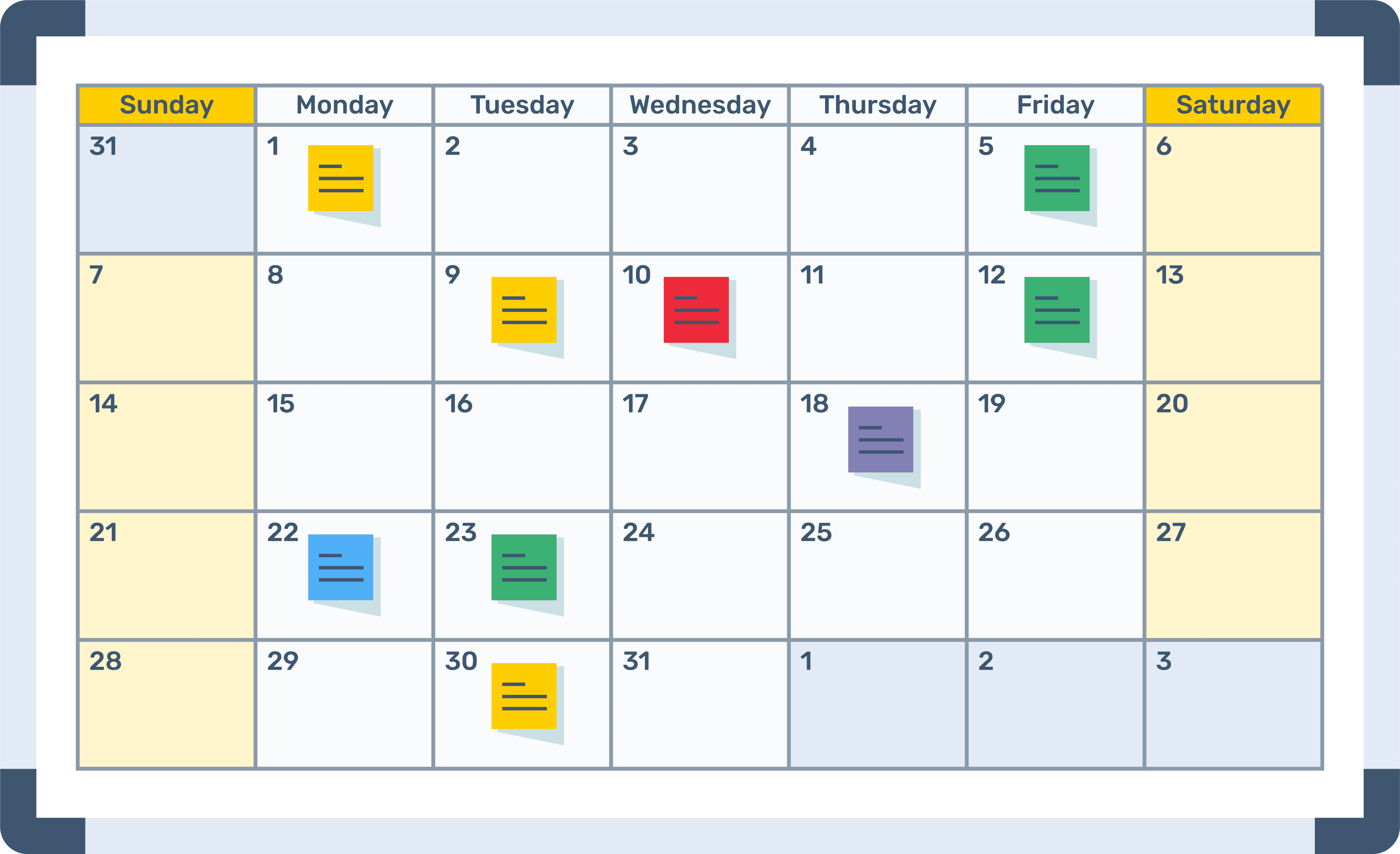
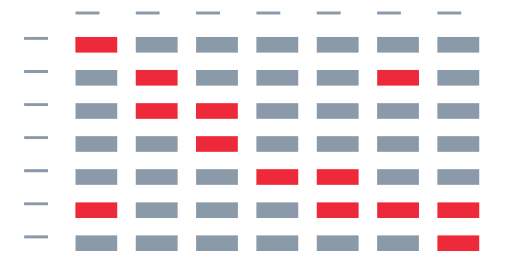
We ran a heuristic evaluation using a workbook to spot usability issues in the UI. Picked user flows based on how often they’re used and mapped any problems we found to Nielsen’s 10 usability heuristics.
2.
NPS Survey analysis
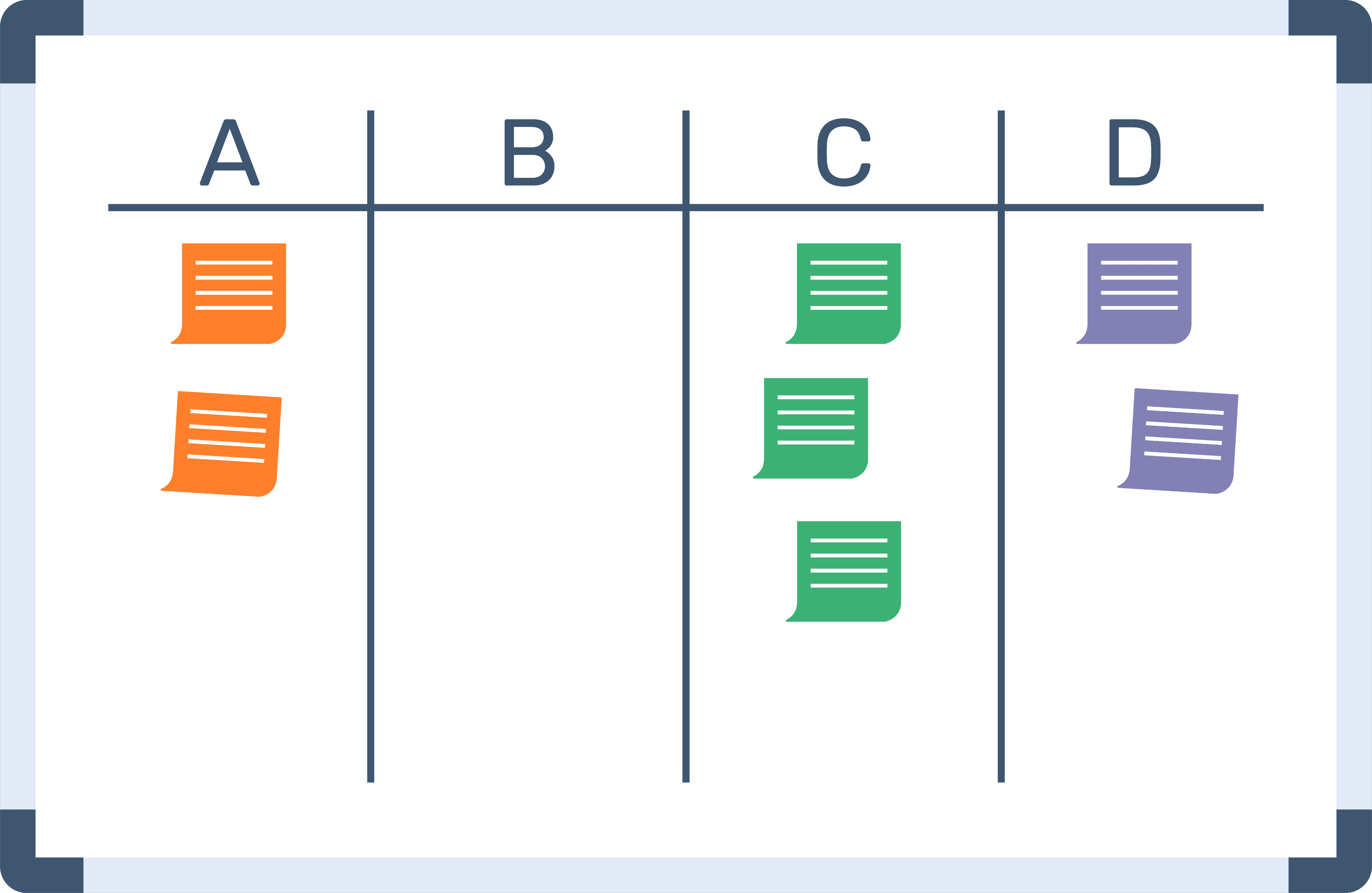
The NPS survey responses offered valuable insights into pain points within our most critical user flows. These learnings guided us in identifying usability issues and informed improvements to feature design, based on real user challenges.
3.
Quantitative analysis
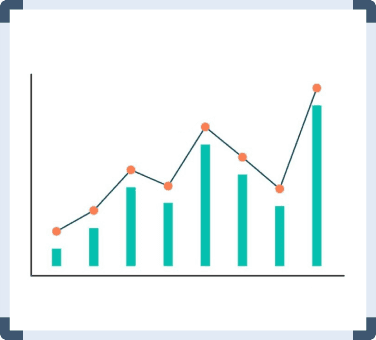
We collaborated with the Data Science team to analyze how long users take to complete critical flows. The completion time varied by task, depending on its complexity.
4.
Journey Mapping
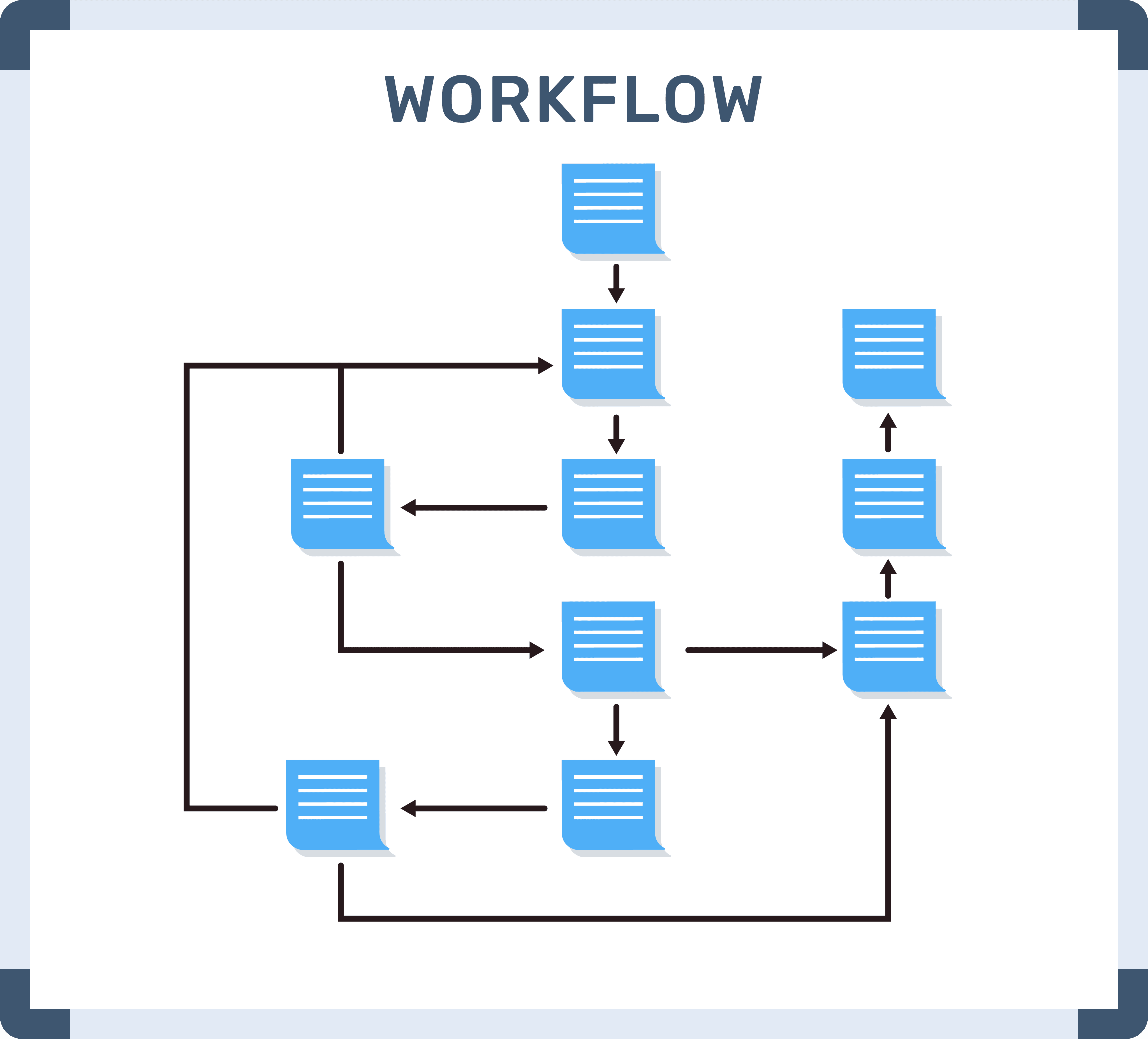
It helped to understand the end-to-end flow of interactions, including user emotions, goals, pain points, and touchpoints across different stages of a task completion
5.
Task Analysis
User tasks differ based on their roles and responsibilities. By mapping out their daily workflows and pain points, we uncovered key actions they wanted to complete quickly and effortlessly. This insight informed the design of the ‘Overview’ section—a focused space that surfaces time-sensitive tasks to support faster decision-making and reduce friction.
Designing the solution
Guiding philosophy
Optimization of efficiency
Focus on scalability
Modularity
Emphasis on consistency
Adoption of Lean UX methodology
Rapid accessibility
Strategy & Timeline
I spent nearly a month developing an approach to convince stakeholders to allocate resources for the project, with the support of my manager. This led to multiple discussions with the Product and Tech teams to define timelines and establish the project’s approach. Once we secured buy-in from stakeholders, we involved the Research team to assist with usability testing.
Throughout this process, we continuously analyzed data and conducted NPS surveys to ensure we were on the right track.
Research
Idea explorations
Stakeholder alignment
Usability testing
Prototyping and iterations
Developement
Launch in phases
NPS Survey
NPS Survey
NPS Survey
Measuring success metrics
~10 months
A rough visual representation of the whole process form inception till mesurement
Understanding the users
We tested all of our modules so ensure we stick to User-Centered Design approach and solve the right problems for the right users
1.
Usability Testing
We ran a heuristic evaluation using a workbook to spot usability issues in the UI. Picked user flows based on how often they’re used and mapped any problems we found to Nielsen’s 10 usability heuristics.
2.
User Interviews
The NPS survey responses offered valuable insights into pain points within our most critical user flows. These learnings guided us in identifying usability issues and informed improvements to feature design, based on real user challenges.
3.
Benchmarking
We explored innovative ideas to enhance efficiency, enable preemptive actions, and support quick resolutions.
By analysing the design systems of top companies which are leaders in ERP segment, gave us ideas how should we design the interface and maintain the scalability
Learnings from research
Focus on automation to enhance productivity
Design for quick decision making
A lightweight system thats easy to maintain
Eliminate biased decisions and differences
Eliminate extra efforts
Empathise with the Admin’s work
Key Design Changes
1.
Quick overview for faster decisions
To enhance clarity and reduce cognitive load, we introduced an "Overview" section across all key features. This allowed users to quickly identify and prioritize pending actions, streamlining their workflow and improving overall task efficiency.
2.
Error prevention & recovery
To reduce user errors and enhance clarity, we simplified on-screen copy to ensure users clearly understood each screen’s purpose. We introduced confirmation prompts before destructive actions, added an UNDO option for error recovery, and clearly defined all actions with distinct visual cues. These changes significantly improved user confidence, reduced accidental actions, and led to a 40% drop in error rates across key workflows.
3.
Timely alerts and communication
To keep users in the loop and avoid confusion, we set up email notifications that let them know what’s happening behind the scenes. Whether an action they took was successful or ran into an issue, they’d get a quick update—making the experience feel more transparent and reliable.
4.
Templatisation
To bring consistency and scalability to our UI, we implemented the Atomic Design methodology.
Atoms → Molecules → Organism → Templates → Pages.
We templatized high-frequency components to ensure reusability across the product, which sped up design and development, reduced inconsistencies, and created a more maintainable system
5.
Simplified navigation
We made it easier for users to find their way around the portal by simplifying the navigation. By adding familiar elements like back buttons and breadcrumbs, users could easily see where they were and get around without feeling lost. It made the whole experience feel smoother and more intuitive.
6.
Help and documentation
To support users who felt stuck or unsure about how to use certain features, we introduced in-product SOPs—simple, step-by-step guides available right when users needed help. This made onboarding of new users smoother.
& more
The new process to create a class
All modules were redesigned by applying our core design principles, resulting in a more cohesive and user-friendly experience
Check the prototype for the flow above
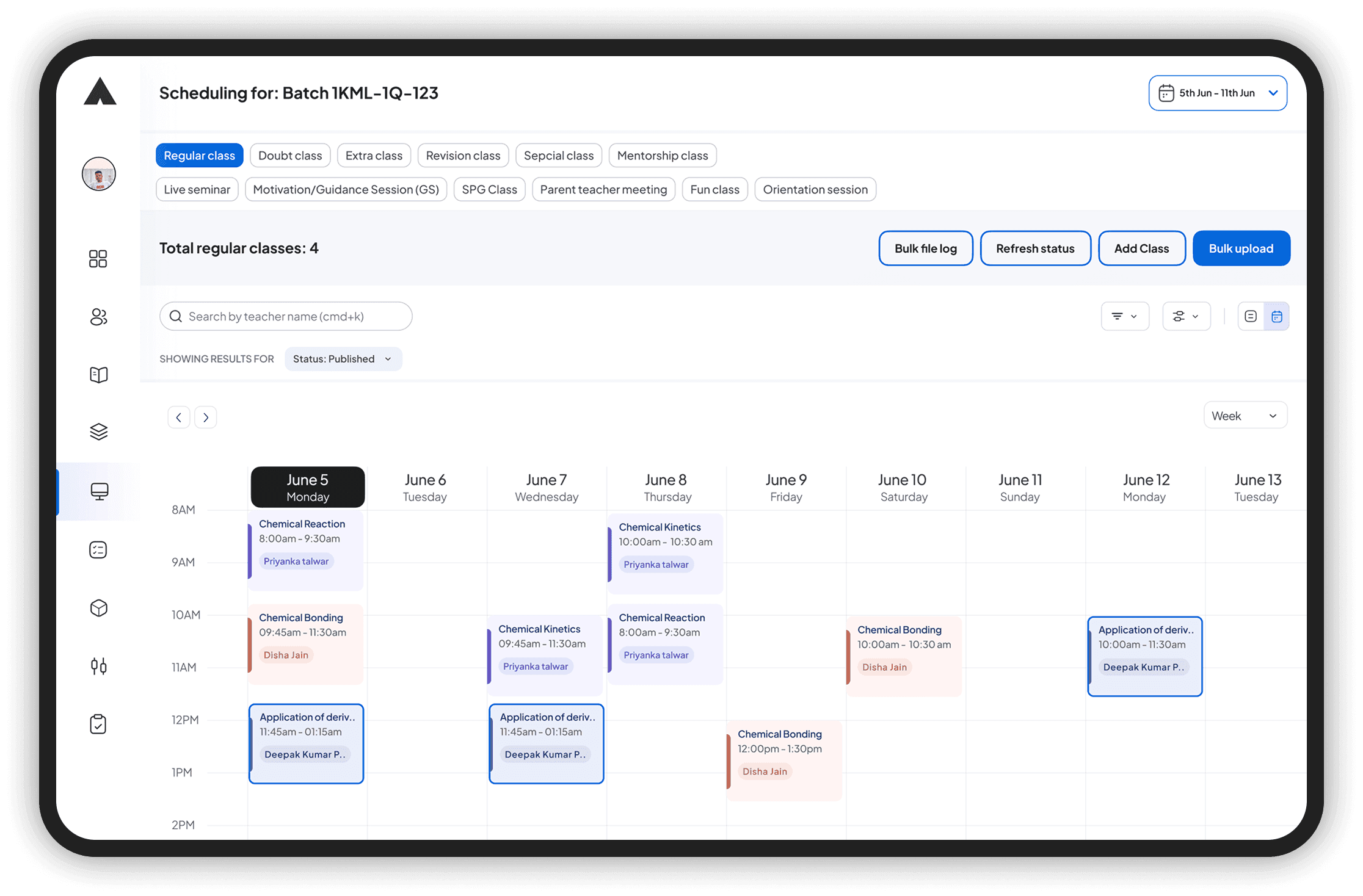
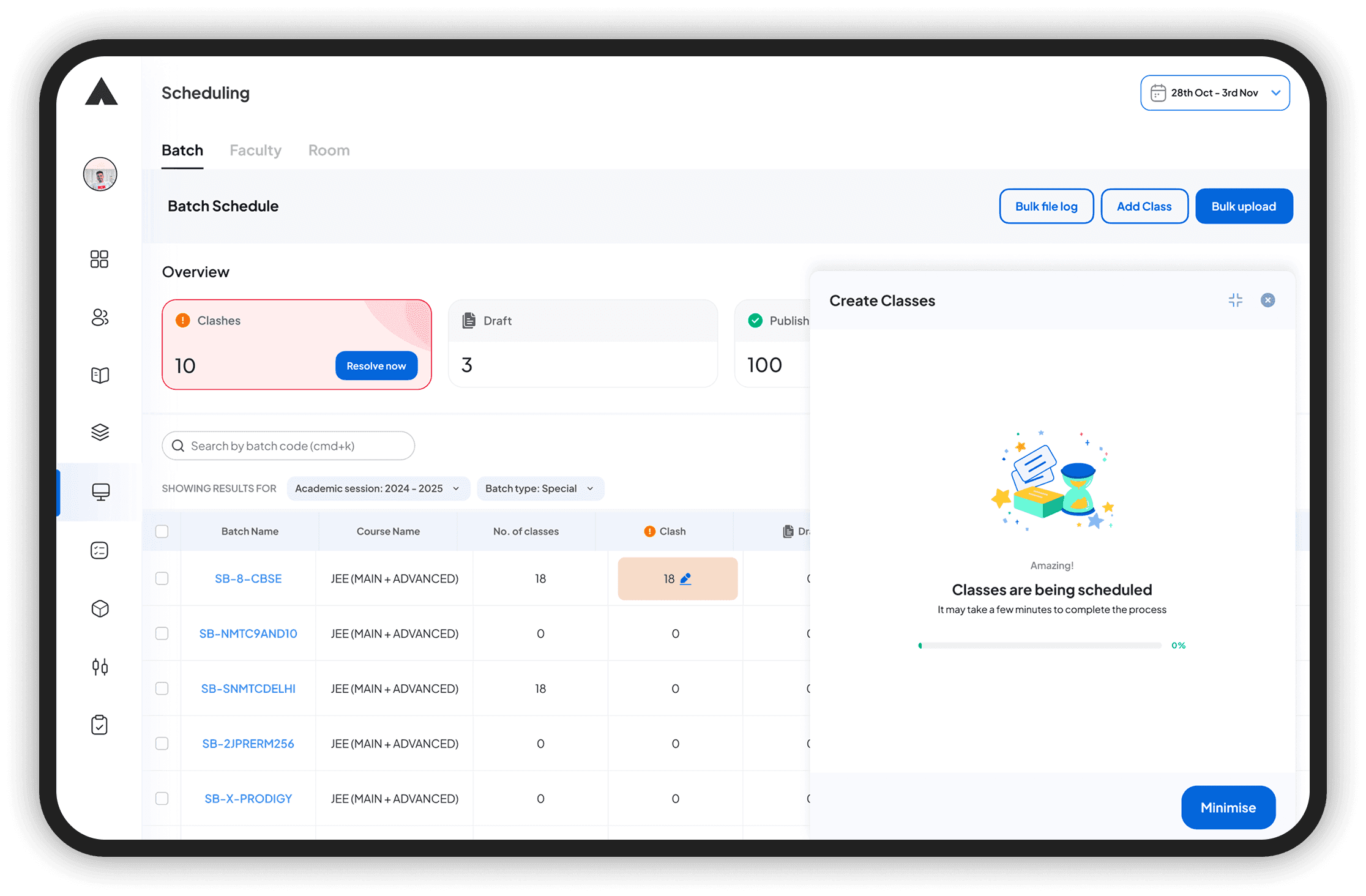
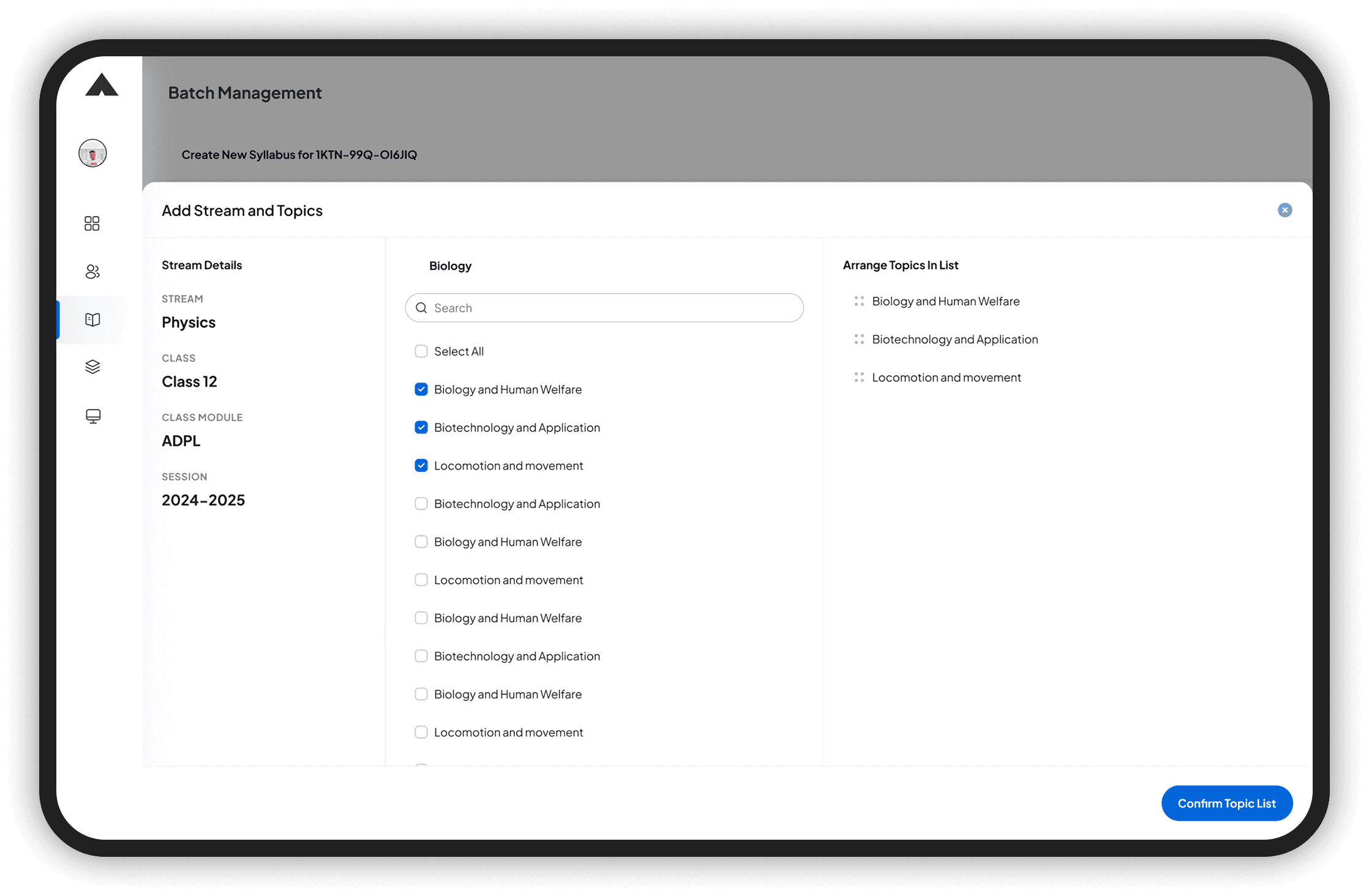
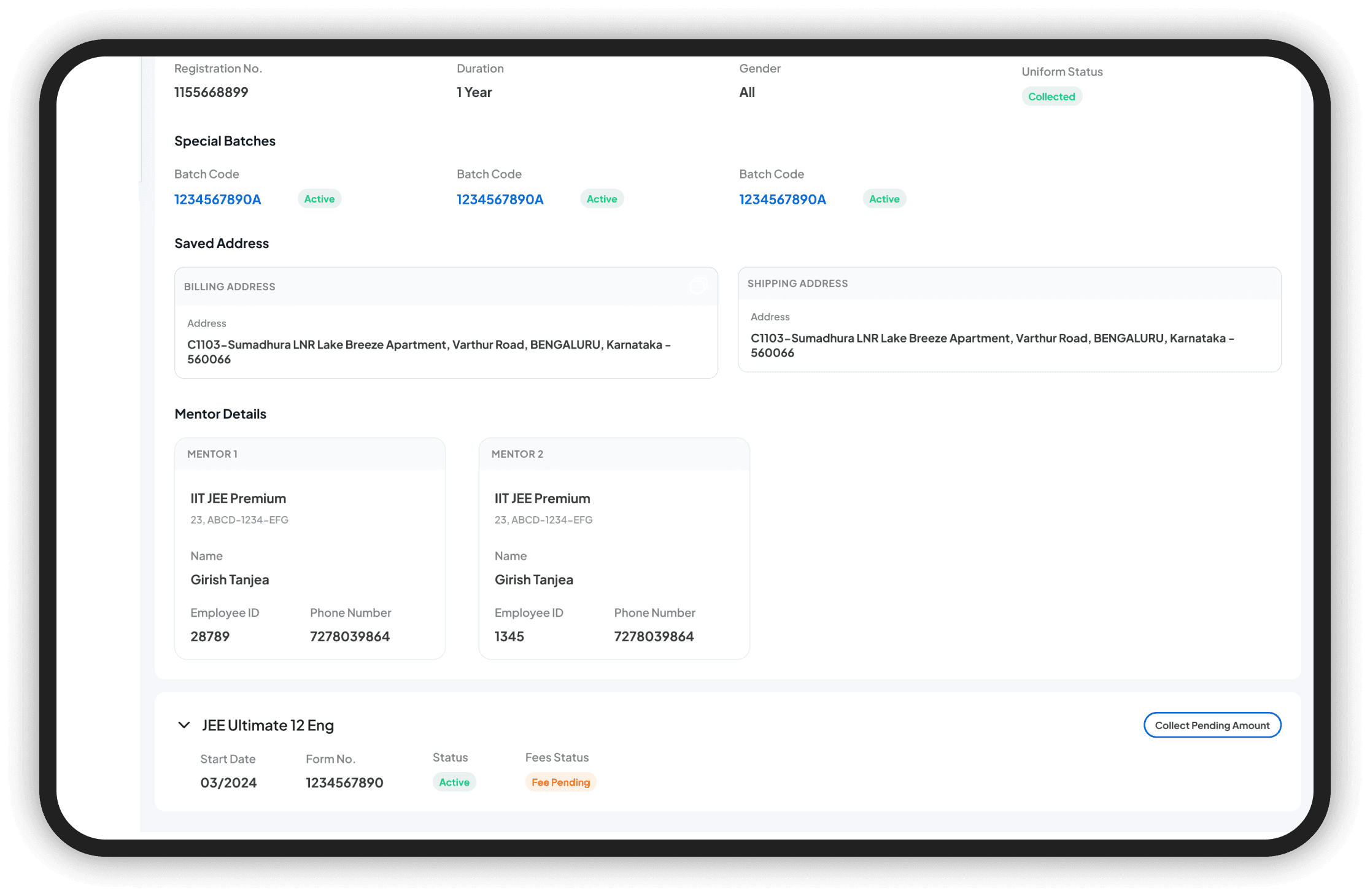
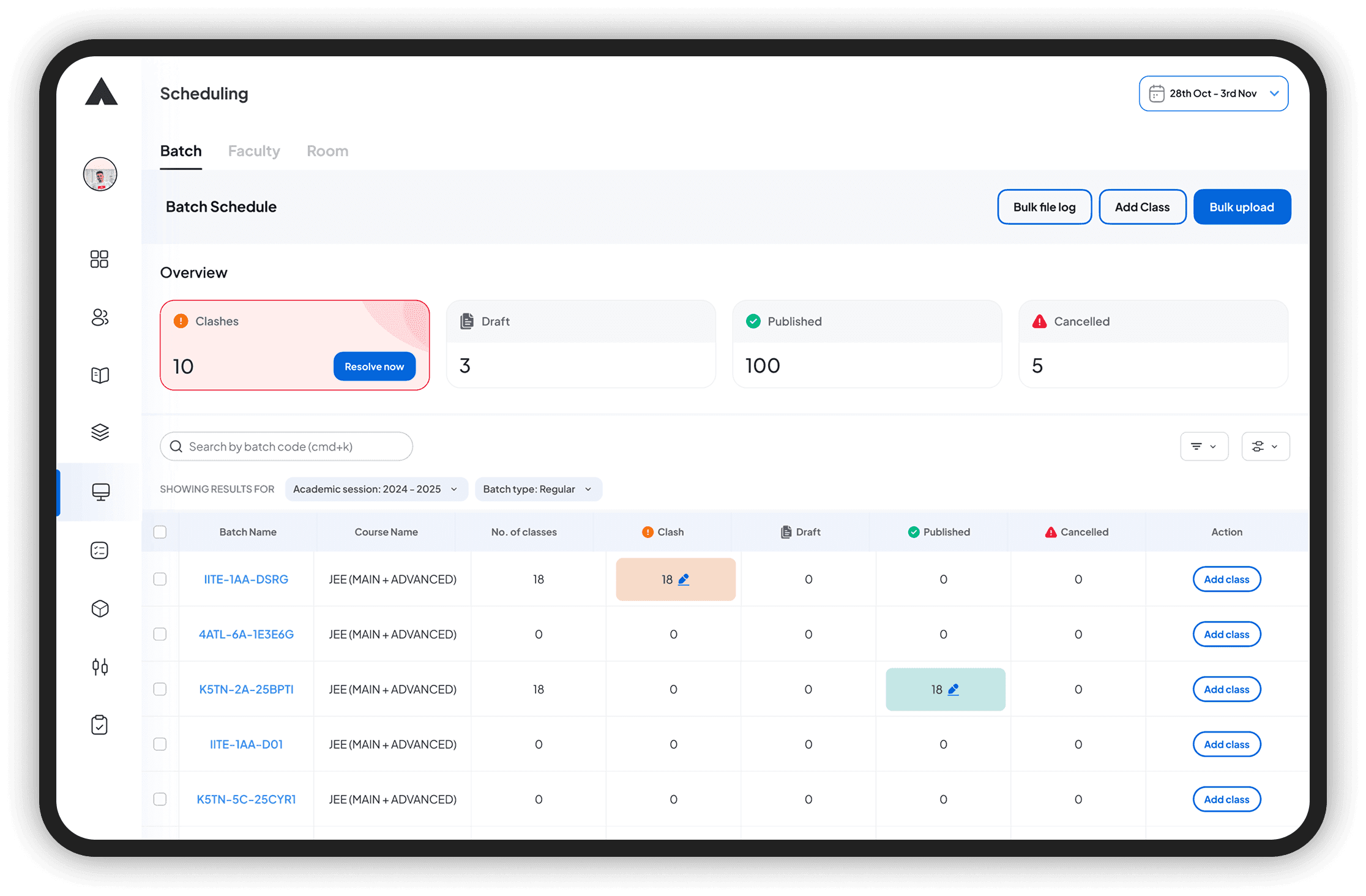
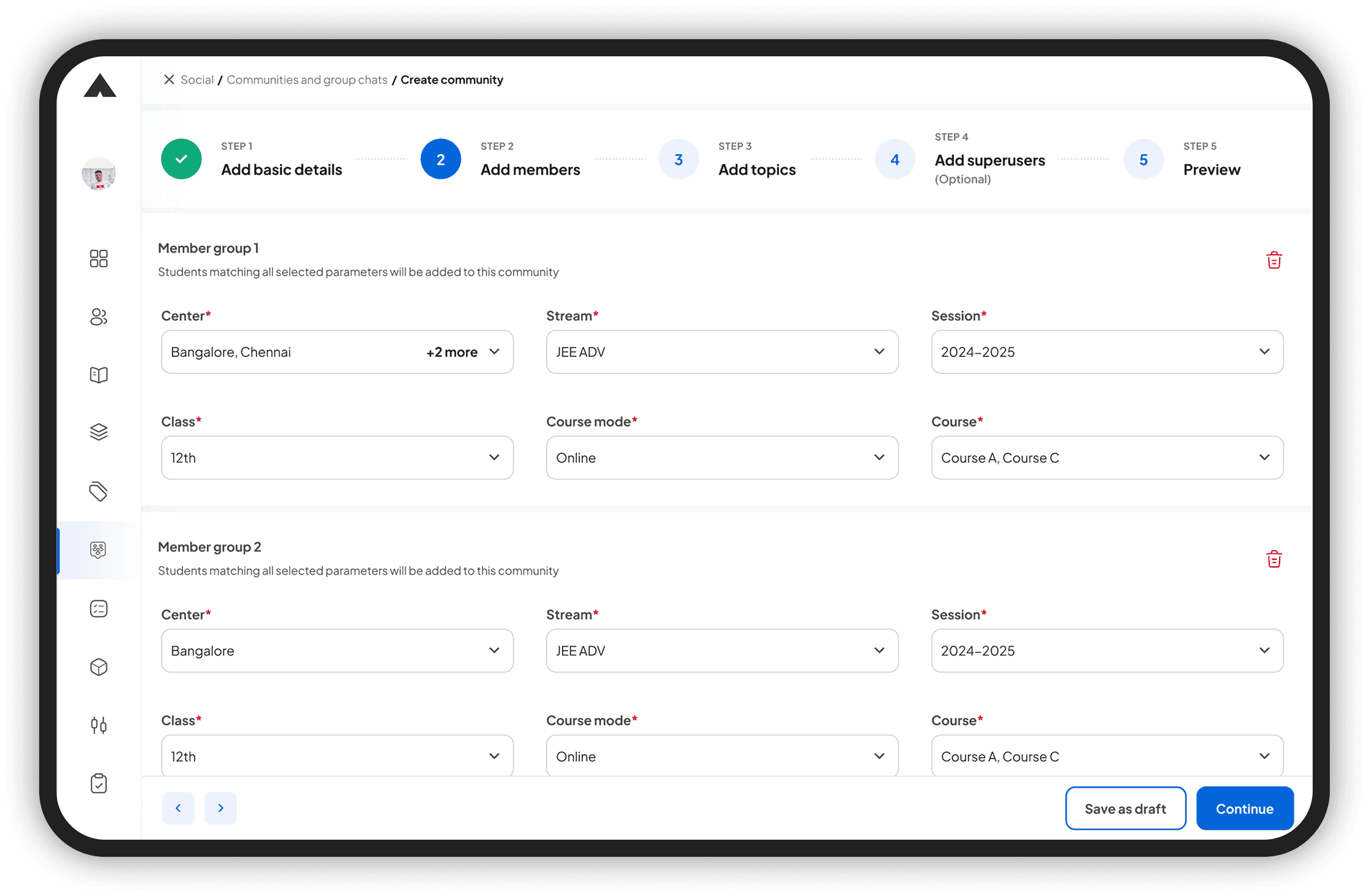
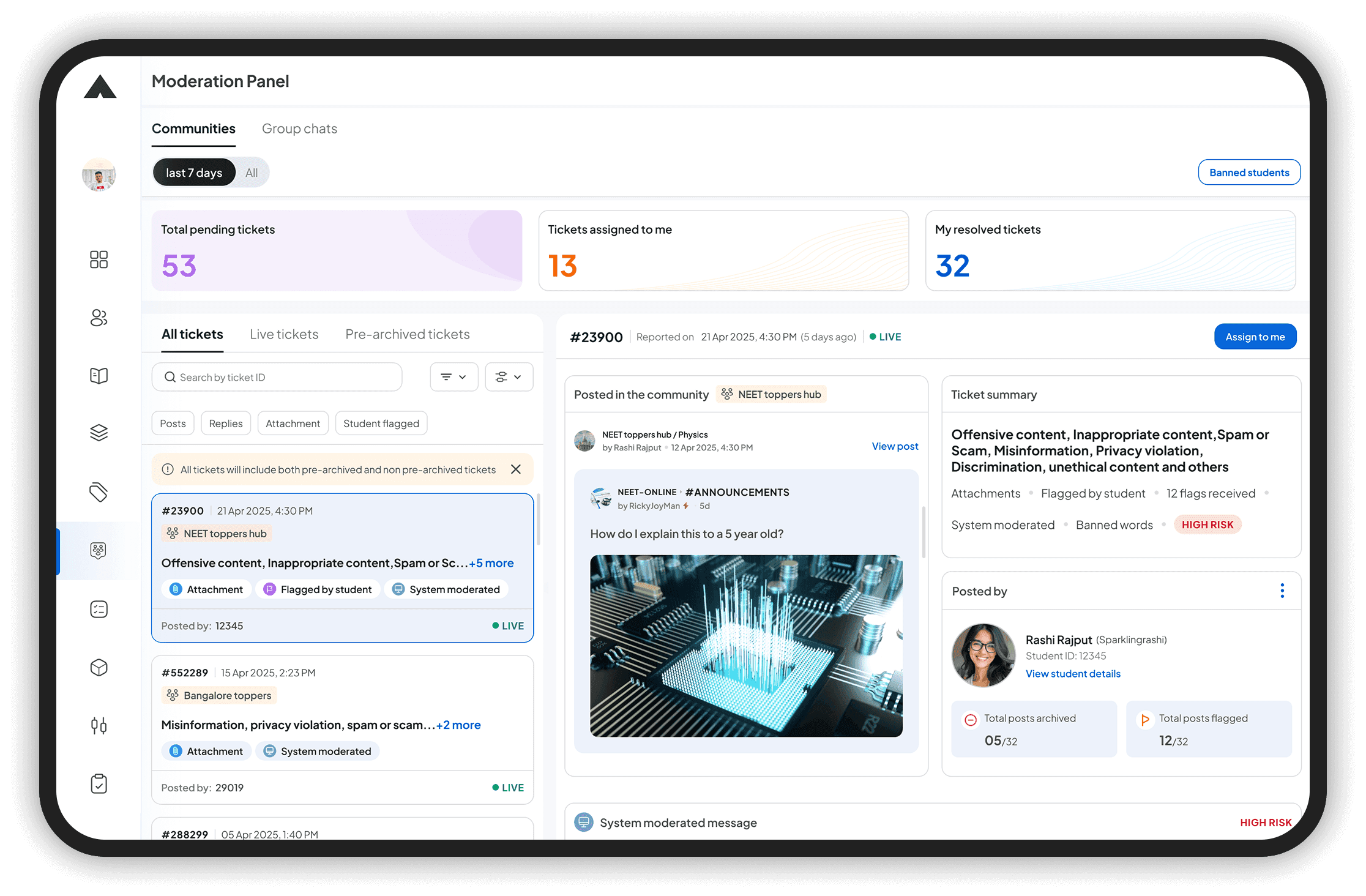
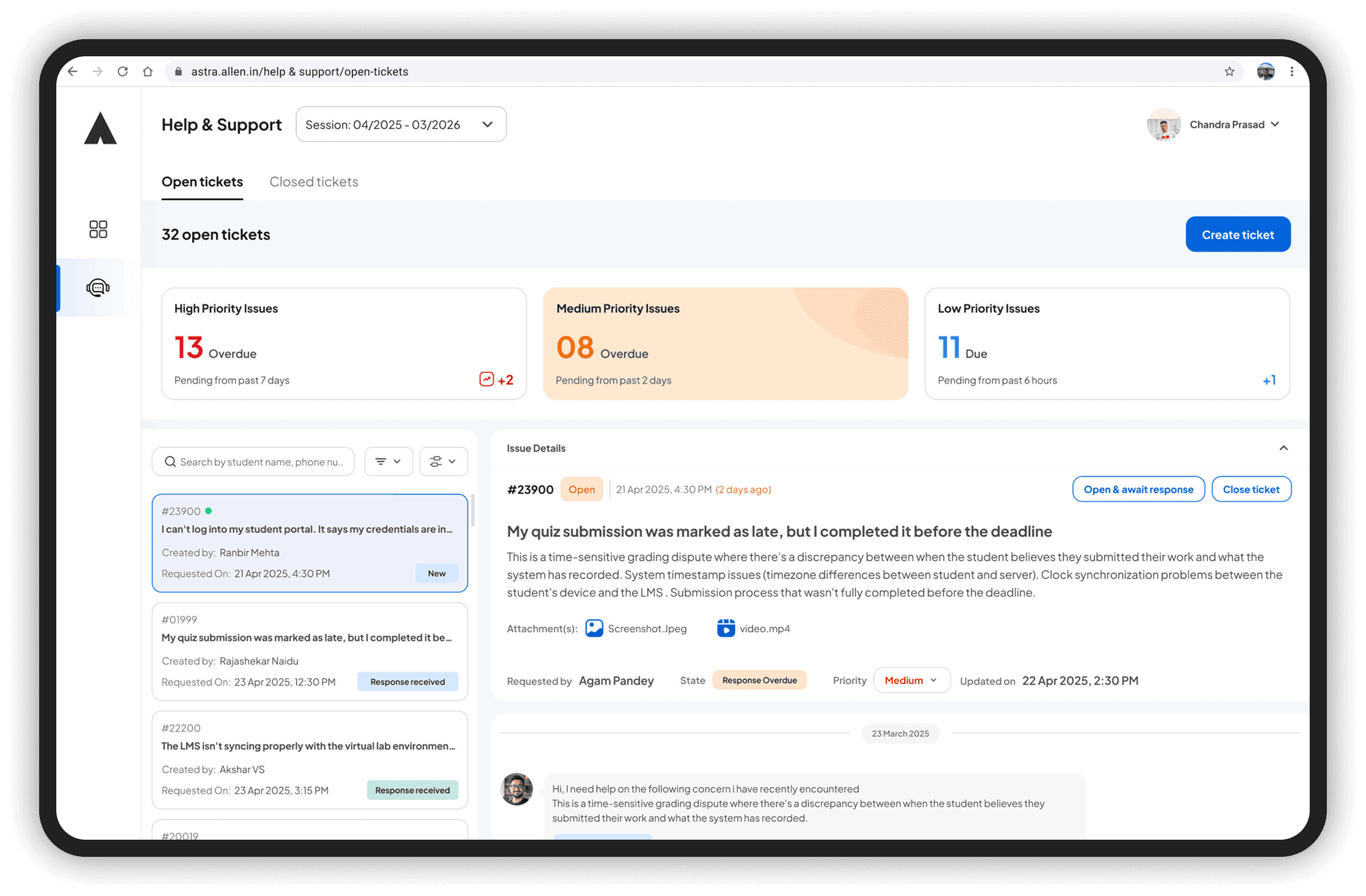
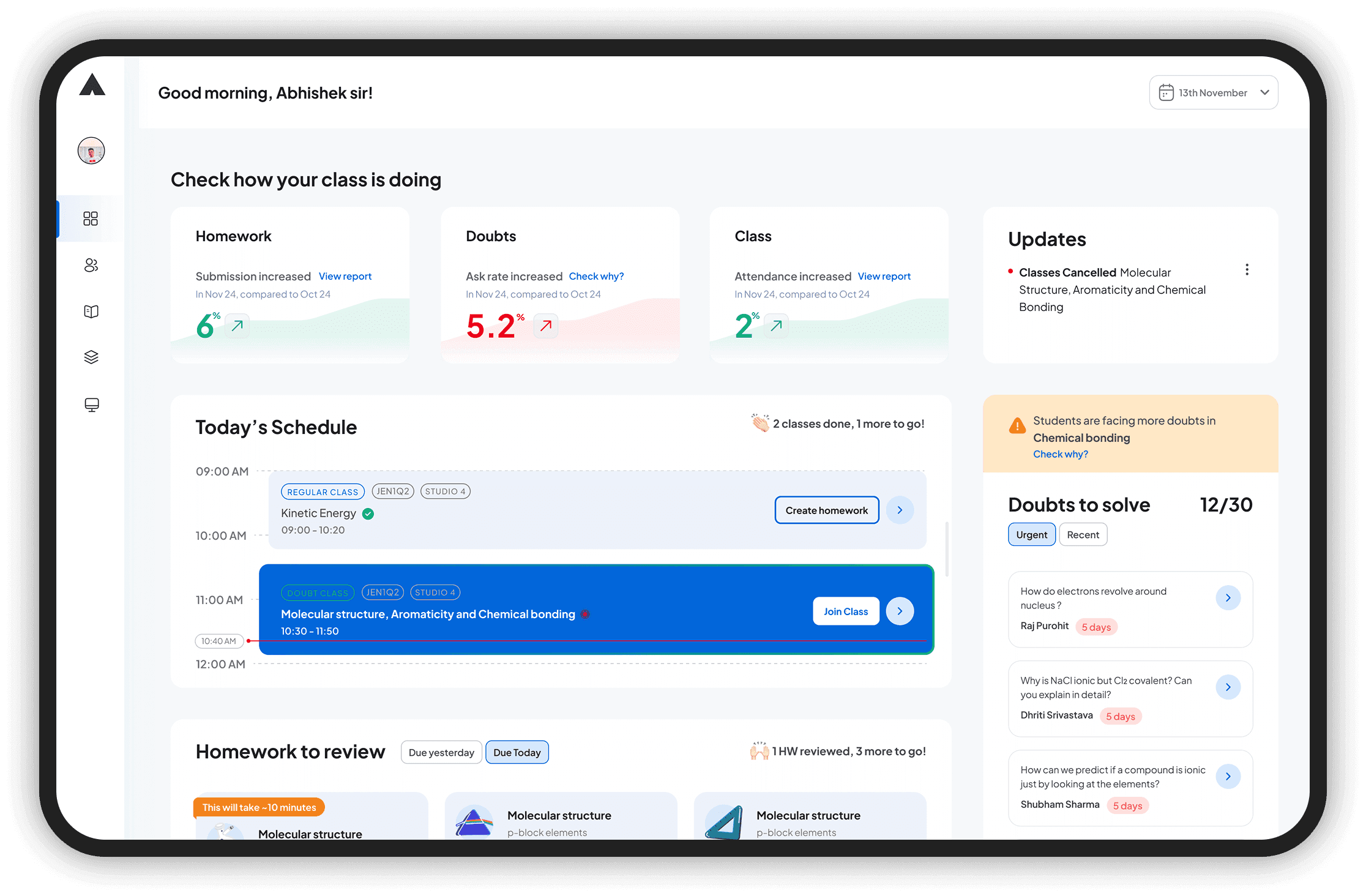
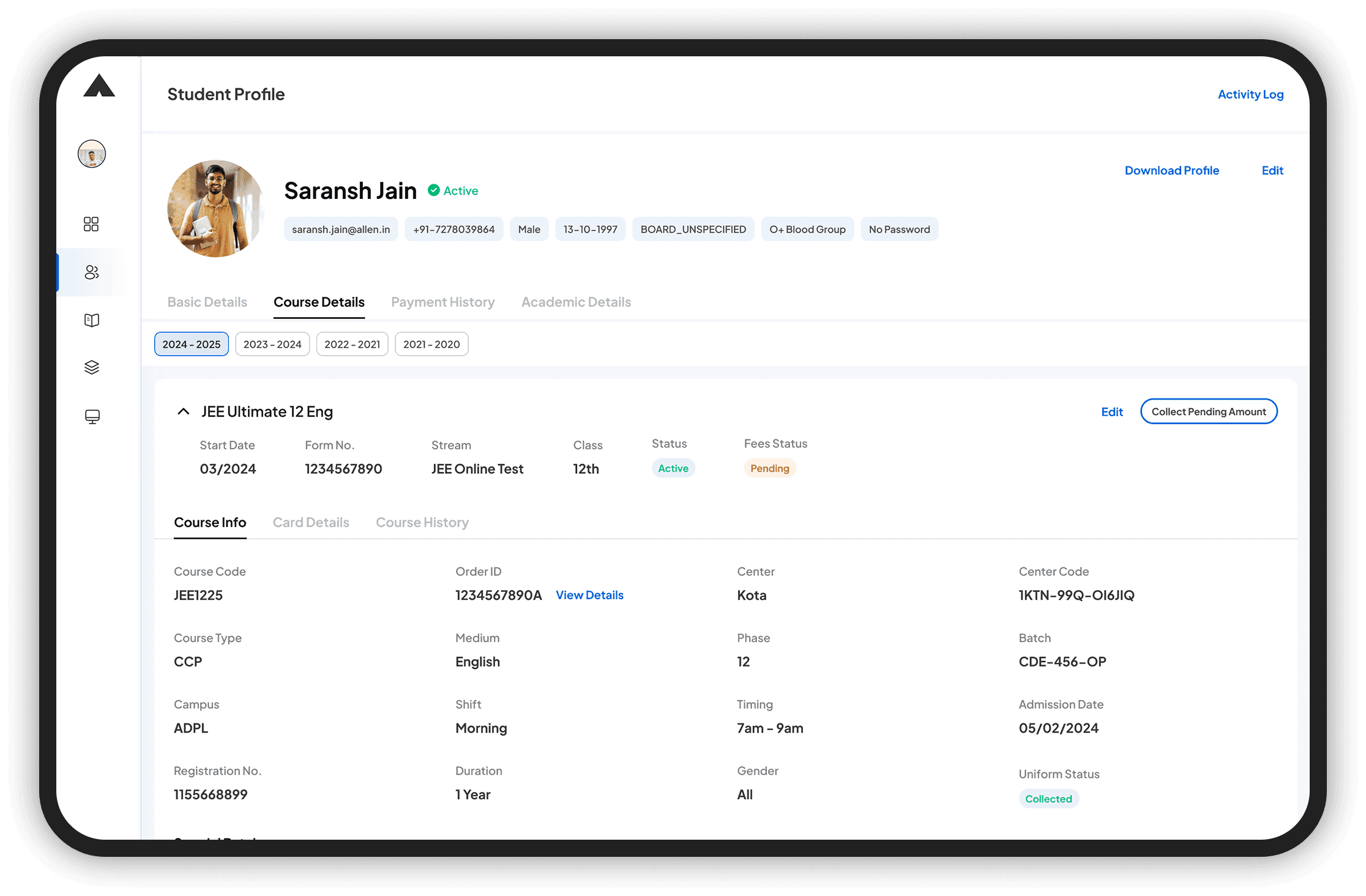
Every module, Rethought
We didn’t just refresh the UI—we rethought the core workflows.
Based on user research and NPS data, we identified the most critical and low-performing modules across the ERP system. These included scheduling, academic dashboards, communication threads, student profiles, and reporting tools etc.

The challenges we faced
Stakeholder buy in
ASTRA is an ERP tool which is used for internal operations management hence it does not have any means of bringing revenue or add any value to business. So it took lot of convincing to get buy in from CXOs for this project.
Exhaustive Usability testing
Since there are a lot of features in ASTRA and for different users, the research was exhaustive and took a lot more time than what we had anticipated which sometimes delayed the project
Outcomes and Impact
91.2%
-18.6 to 31.4 increase in NPS Score
Industry average for Internal tools or B2B
tools is ~10-30
DESIGN
Reduction in task
completion time
USER
Reduction in errors
USER
Reduction in TAT for
designs and devs
This is an estimate based on Dev team’s
statements

BUSINESS
Learnings
1.
Cross-Functional Alignment
is a Journey
This project had multiple loops:
ideation pushback → re-alignment → stakeholder buy-in.
I learned how to keep momentum going without waiting for
everyone to say "yes."

2.
Advocacy beyond UI
To make this a reality, I ran multiple design share-outs and built scenarios to show why this mattered. Often, the job is less about pixels and more about persuasion.

3.
Enterprise UX=
Empowerment + Trust
I learned that a simple interface can still uphold
strong guardrails, and trust is built through
design for empathy while keeping it simple

What did not go well
Some features were deprioritized due to
time crunch
Needed responsive design adjustments post-launch which led to more dev effort later
Next Steps
1.
Increase NPS score to 40+
The industry standard Net Promoter Score (NPS) for ERP tools lies between 30 to 50
2.
Automate Processes
This will improve efficiency, minimize human error, and allow users and internal teams to focus on more strategic tasks. Automation will also support scalability as user volume grows.
3.
Enhancements of Features
To improve user engagement and retention, several key features are planned for enhancement based on user feedback and analytics
4.
Contextual Tooltips
Supporting just-in-time learning, contextual tooltips will be introduced across key areas of the interface. These will guide users through complex actions without disrupting their flow
5.
Storybook Implementation
It will serve as a single source of truth for UI components, enabling faster prototyping, streamlined QA processes, and easier onboarding for new team members. This step aligns with the goal of establishing a scalable and maintainable design system.


This portfolio is a conversation starter
Always open to talk about Design, Product, Bikes and Adventures