

This portfolio is a conversation starter
Always open to talk about Design, Product, Bikes and Adventures

Variant A v/s Variant B
Variant
Mobile number
OTP Authentication
User Details
A
98.2%
98.2%
77.3%
B
97%
97%
70.2%
Outcomes and Impact
+3%
Increase in
Lead Conversion
From 28% to 31%
BUSINESS
Reduction in
Onboarding completion time
USER
BUSINESS
Reduction in
CPL (Cost per lead)
Increase in
Homepage Conversion
From 55% to 77.3%

BUSINESS
3/3
How to reduce the drop off rate on User details screen
Both Variant A and Variant B retained the same flow for installation and OTP verification. The key difference lay in the application of UX principles to address user friction.
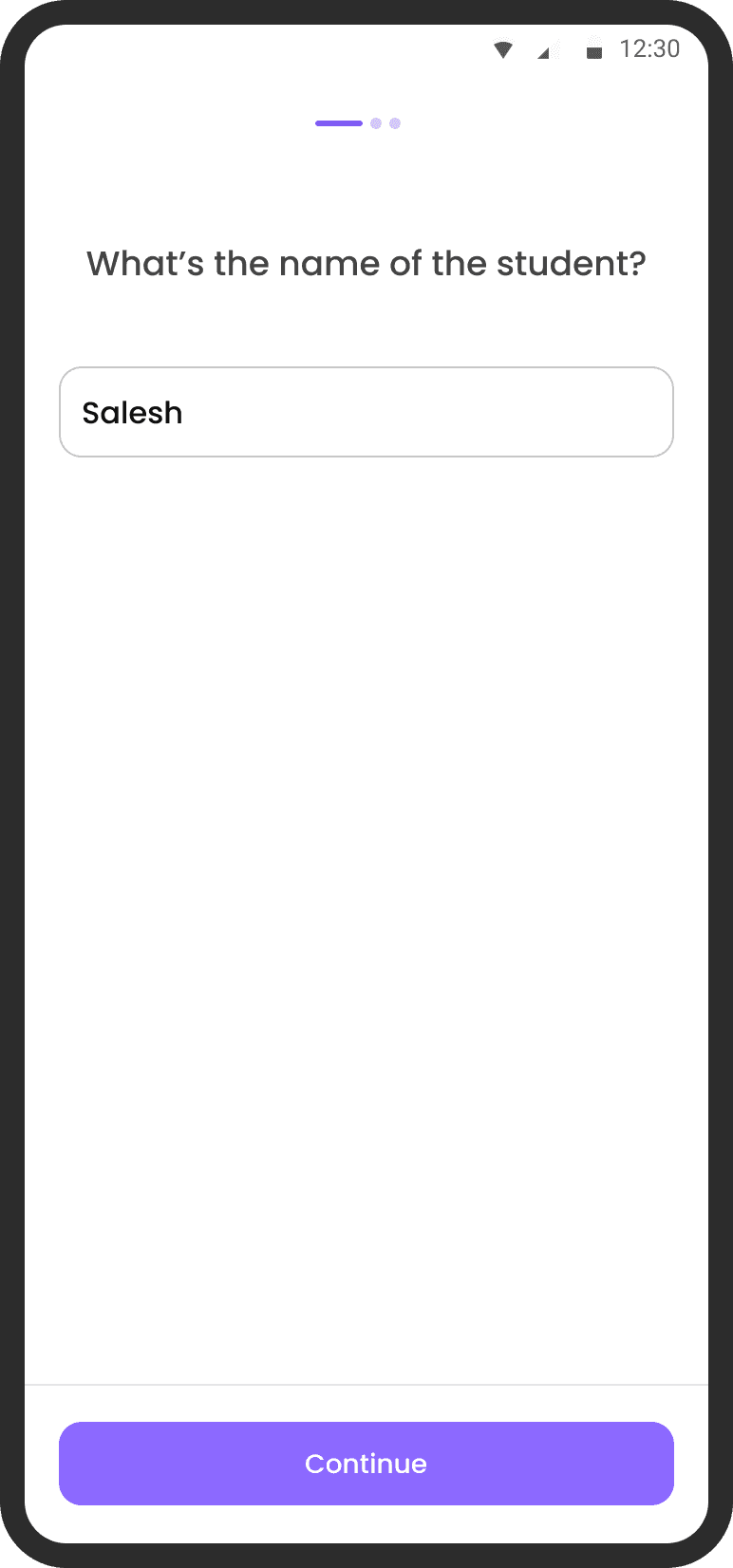
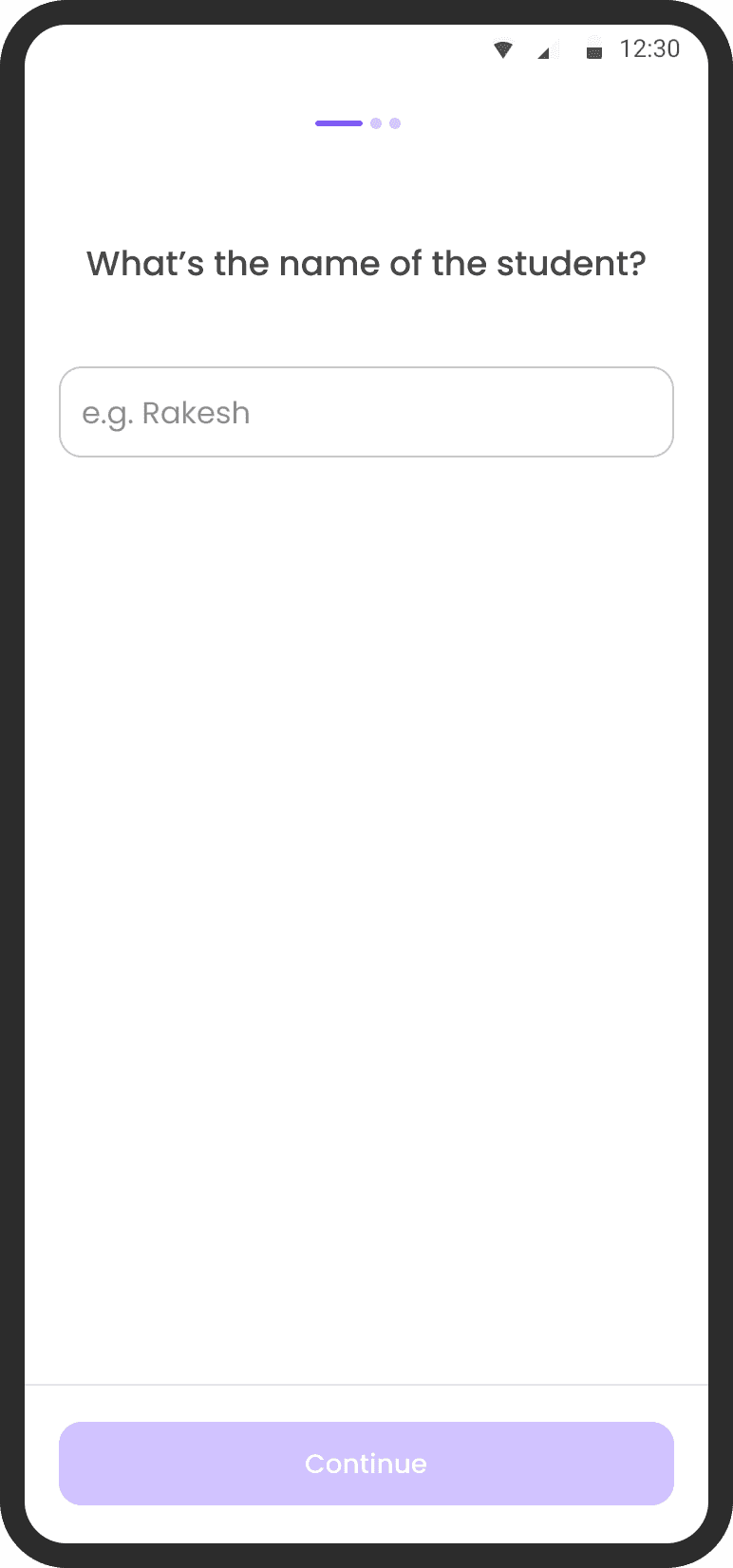
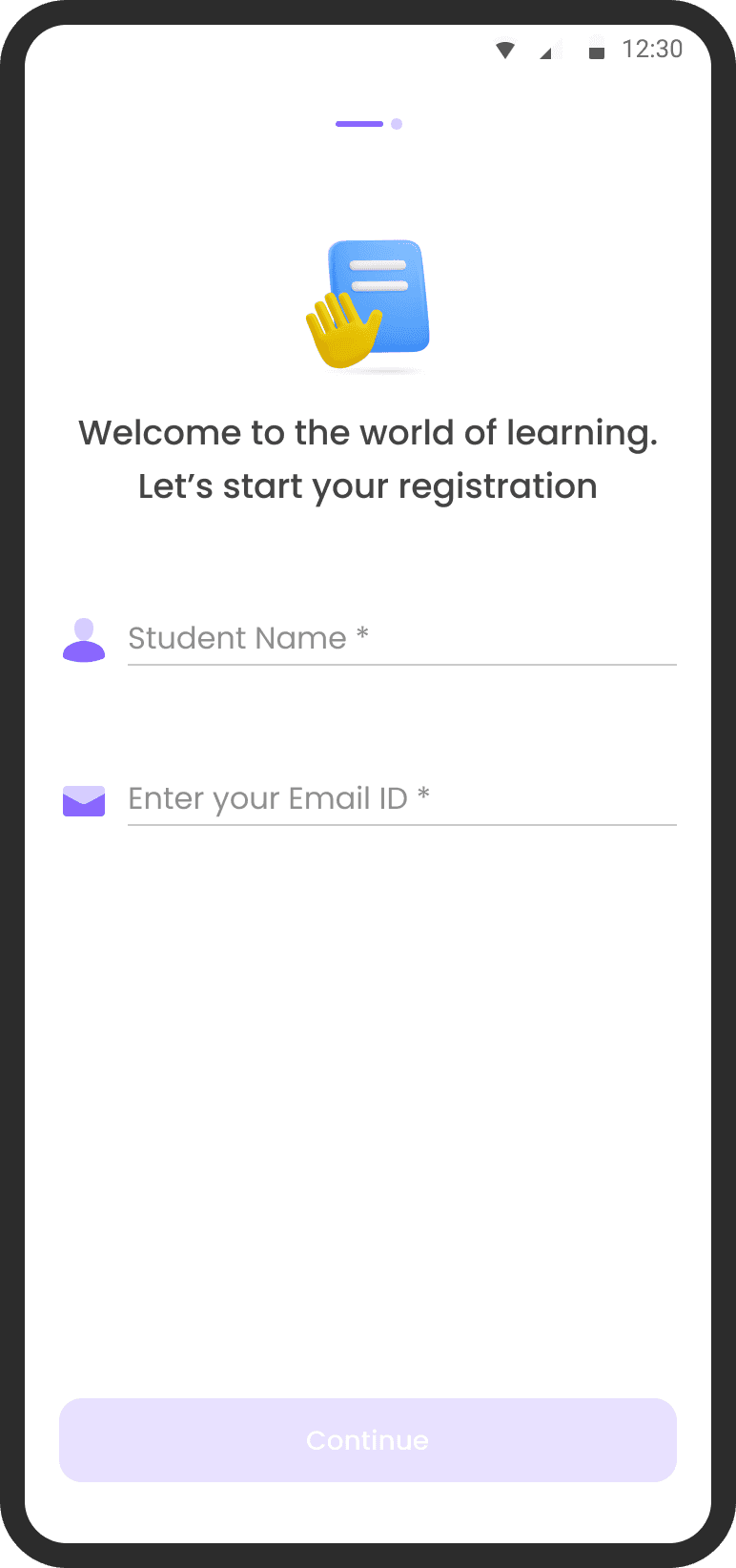
Variant A applied Progressive Disclosure to guide users step-by-step, revealing only necessary information at each stage to reduce overwhelm.
Variant B leveraged the Law of Proximity to visually group related inputs and actions, aiming to create a more intuitive and scannable interface.
This allowed us to test which principle better supported user completion and clarity during onboarding.
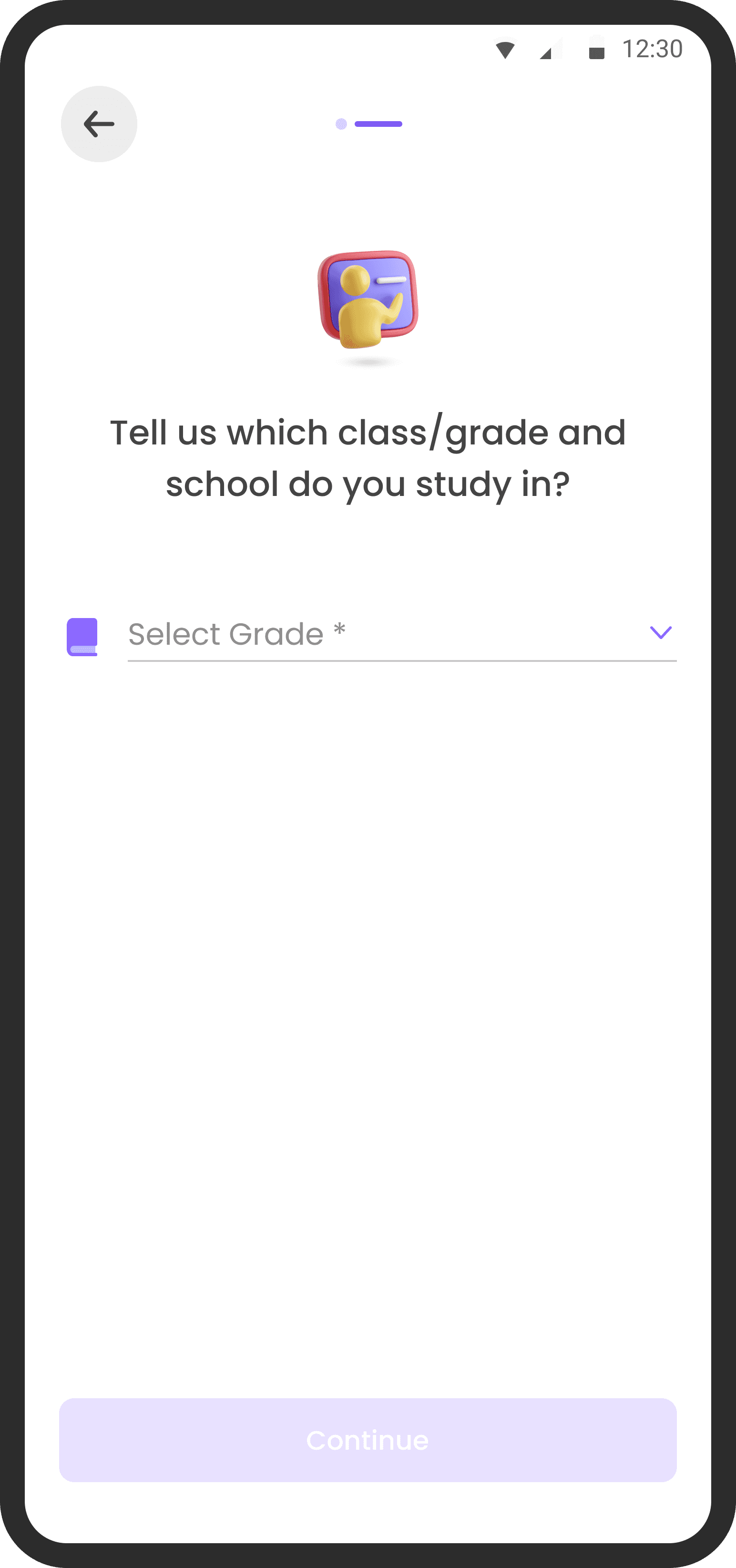
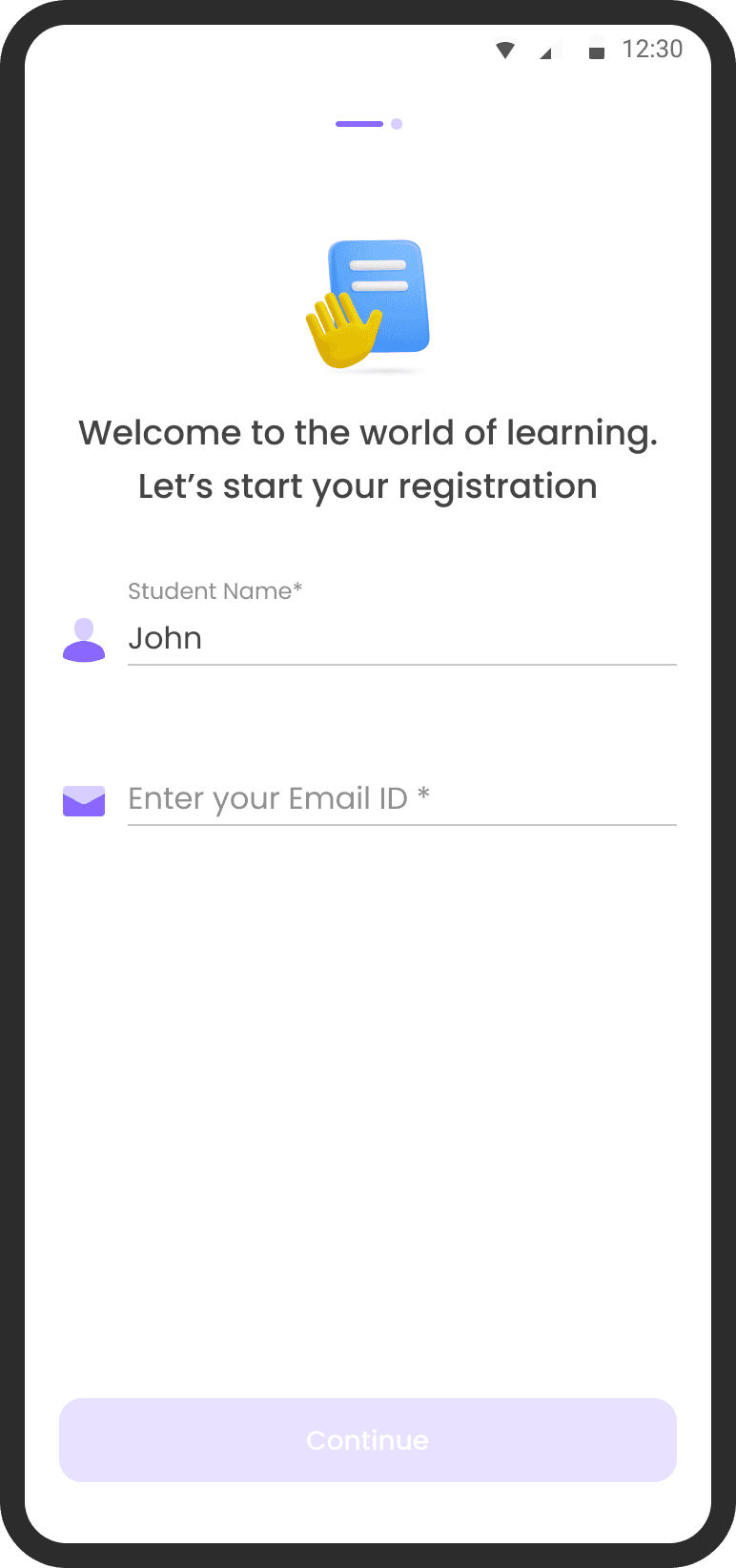
VARIANT A
Implementing
Progressive Disclosure
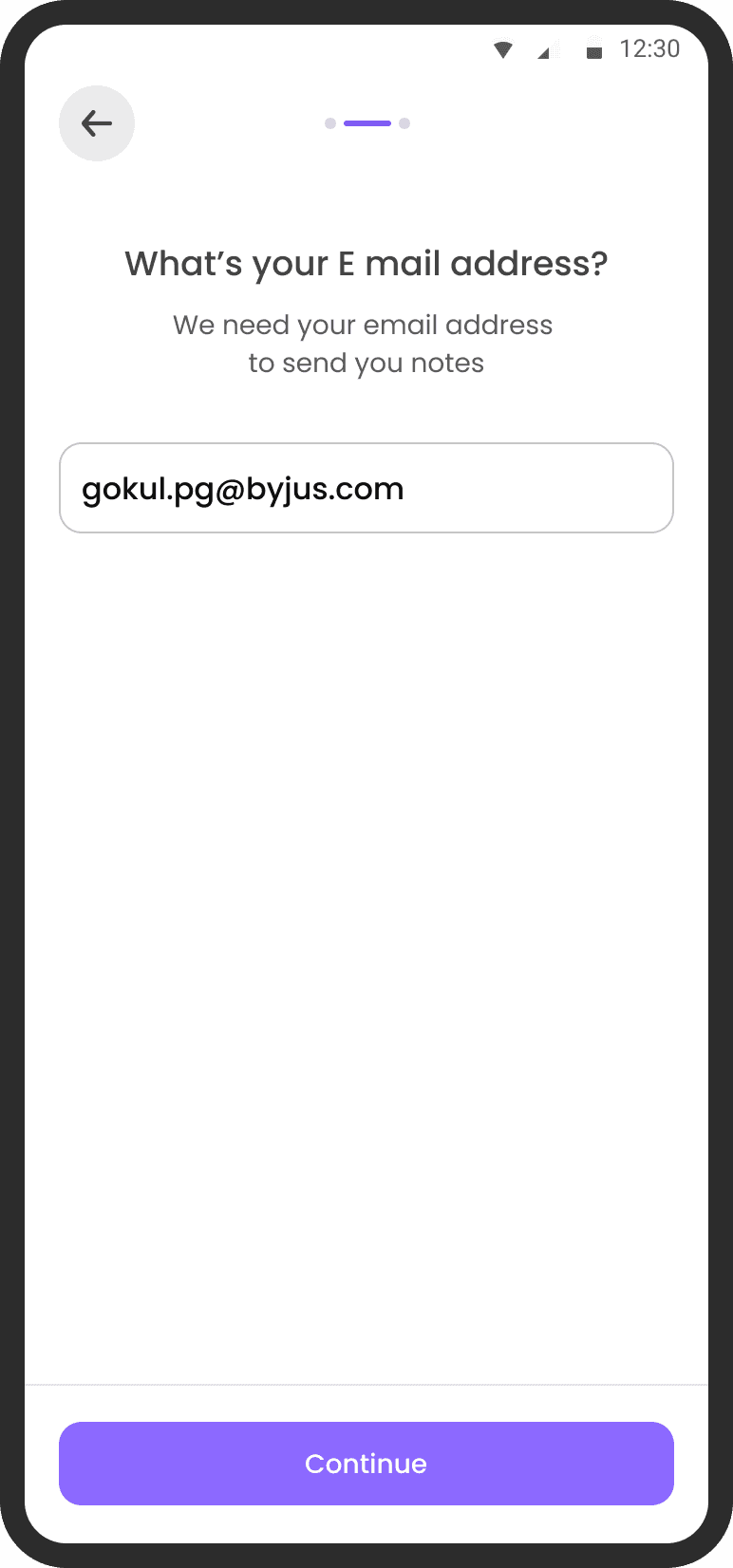
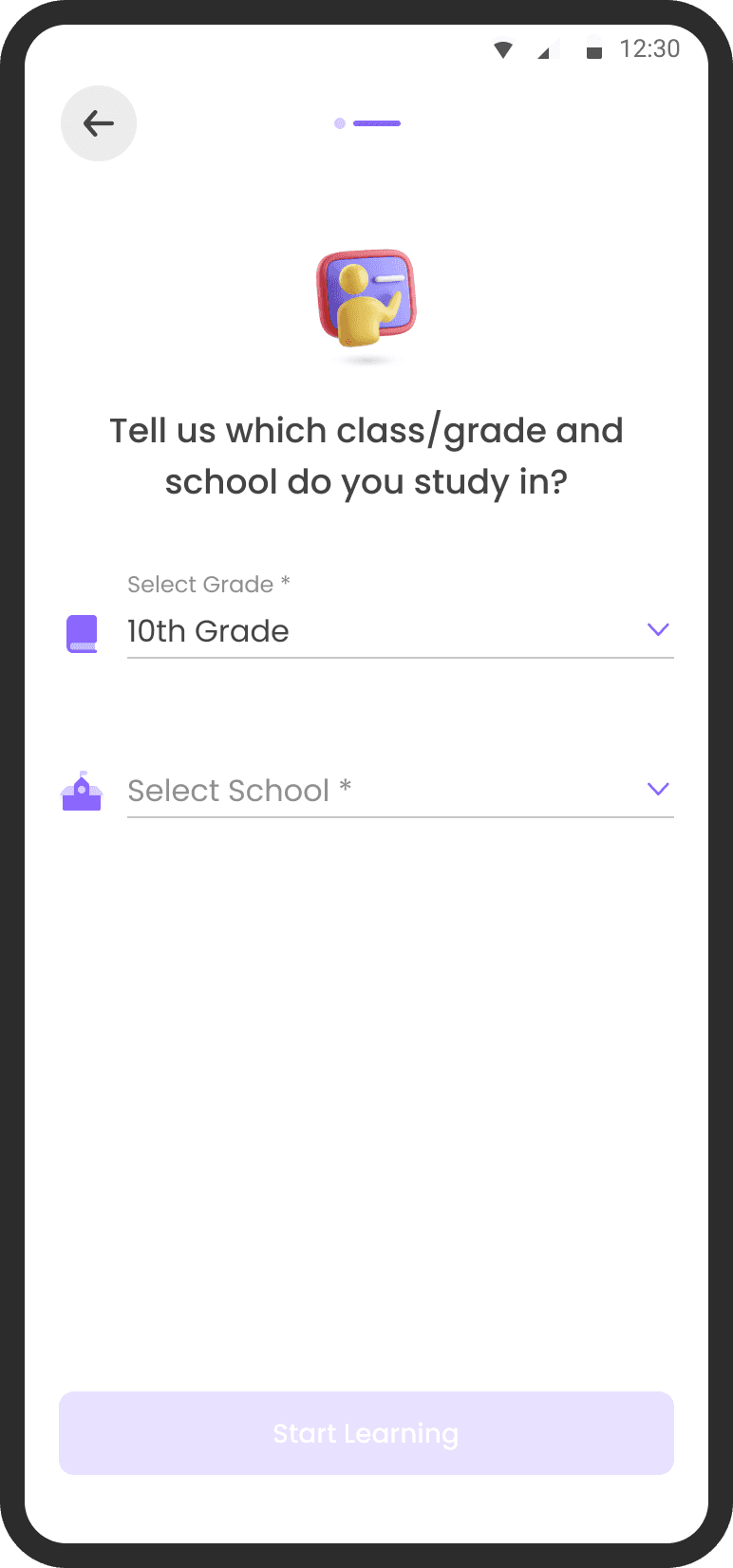
In Variant A I divided the onboarding info on 3 screens Name of student, Email and Grade
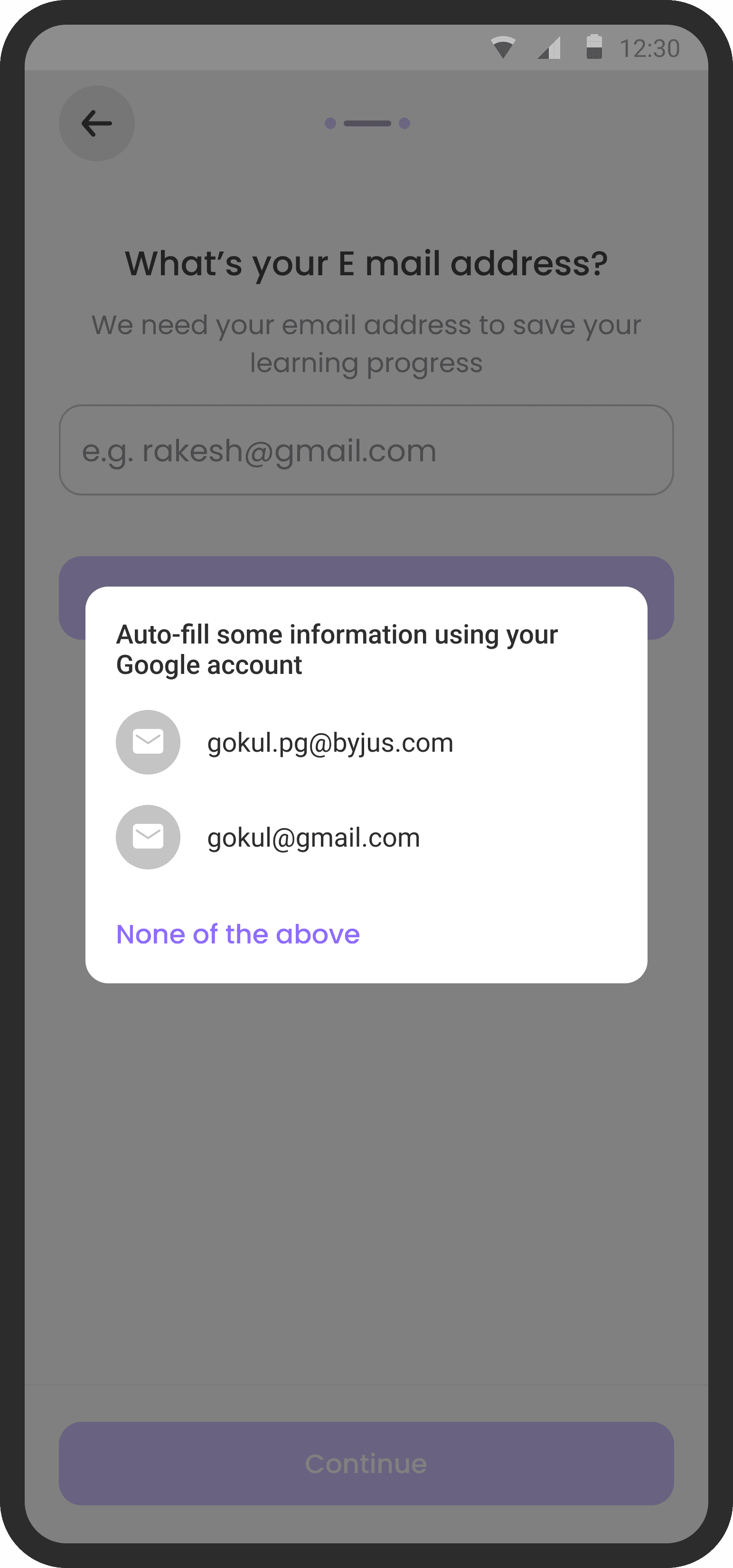
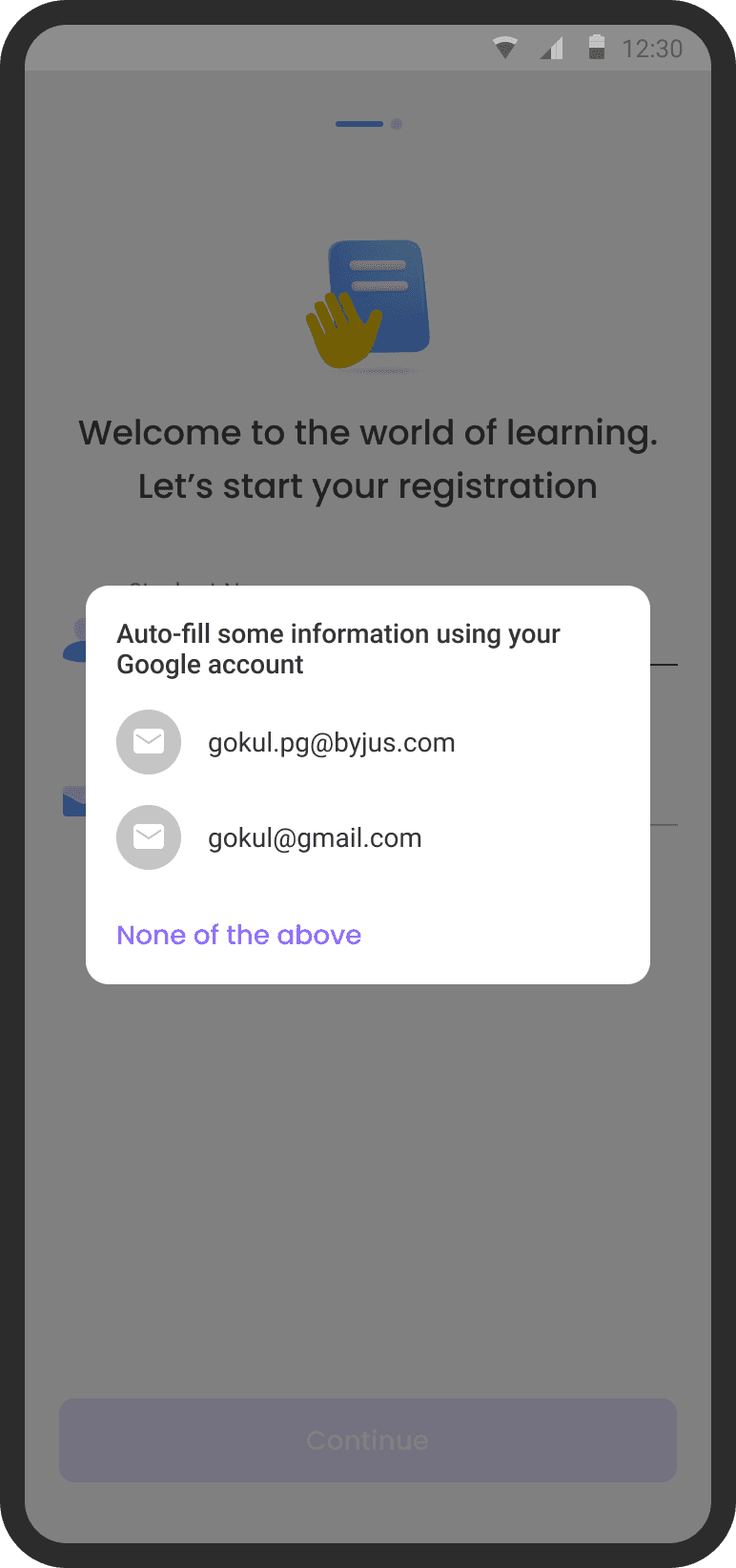
Using Auto-fill
Auto fill saves users time and provide more accurate data for marketing and
re-targeting
Why do we need the email
Giving users a reason to provide email info induces trust in users and they are more likely to provide the info
Why do we need the grade
Giving users a reason to provide grade info induces trust in users and they are more likely to provide it
Contextual selection
of school
School did not affect the quality of lead for college students hence I decided to make it contextual
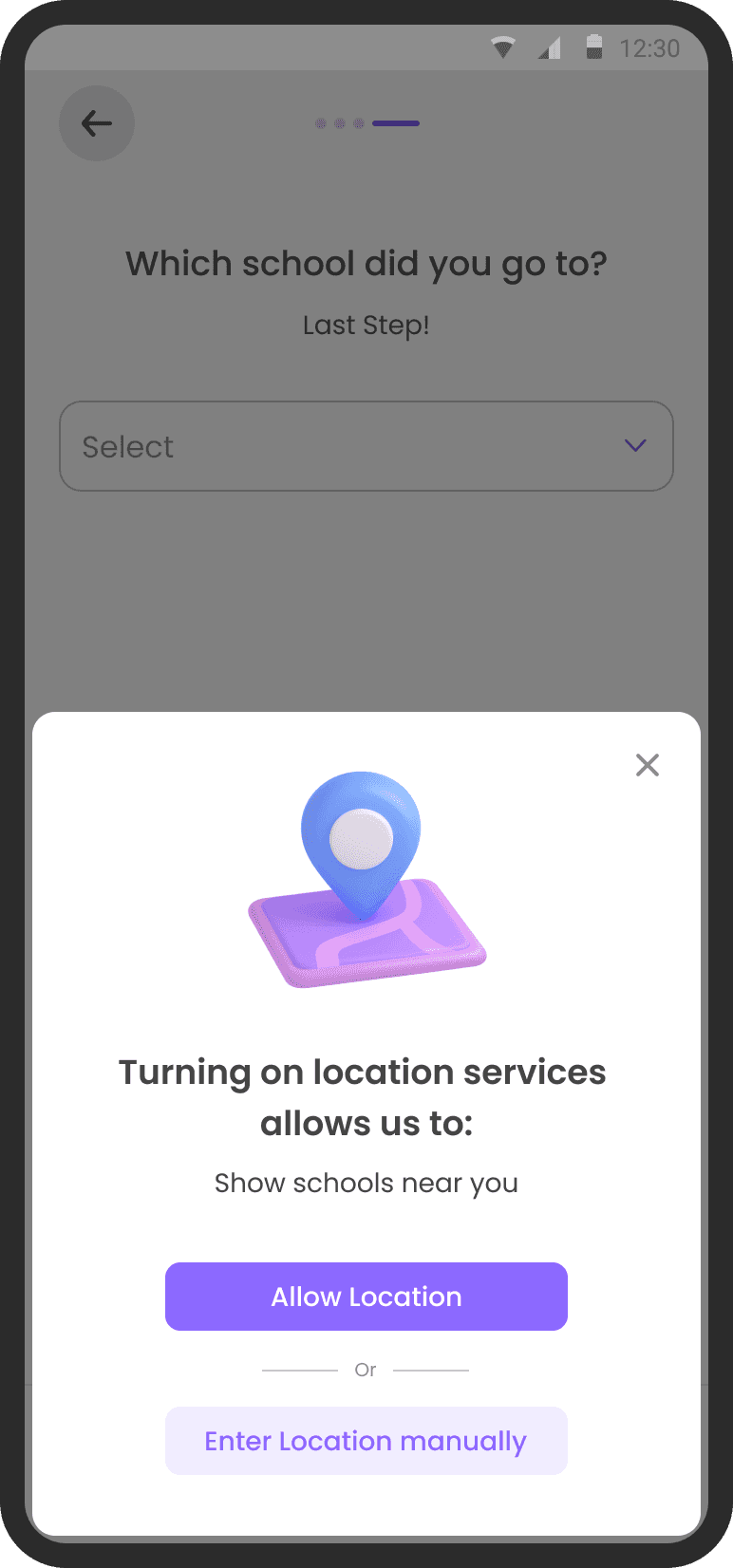
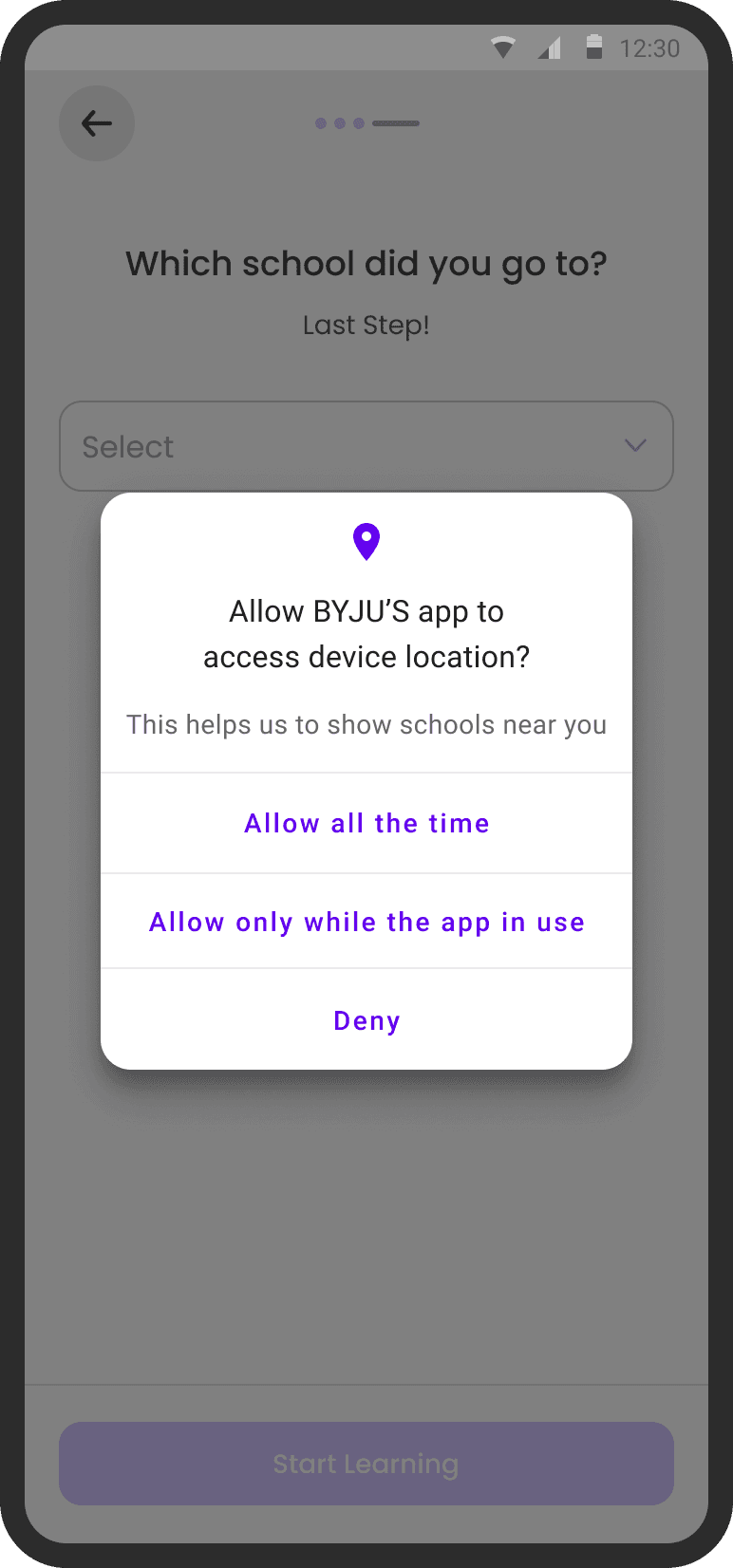
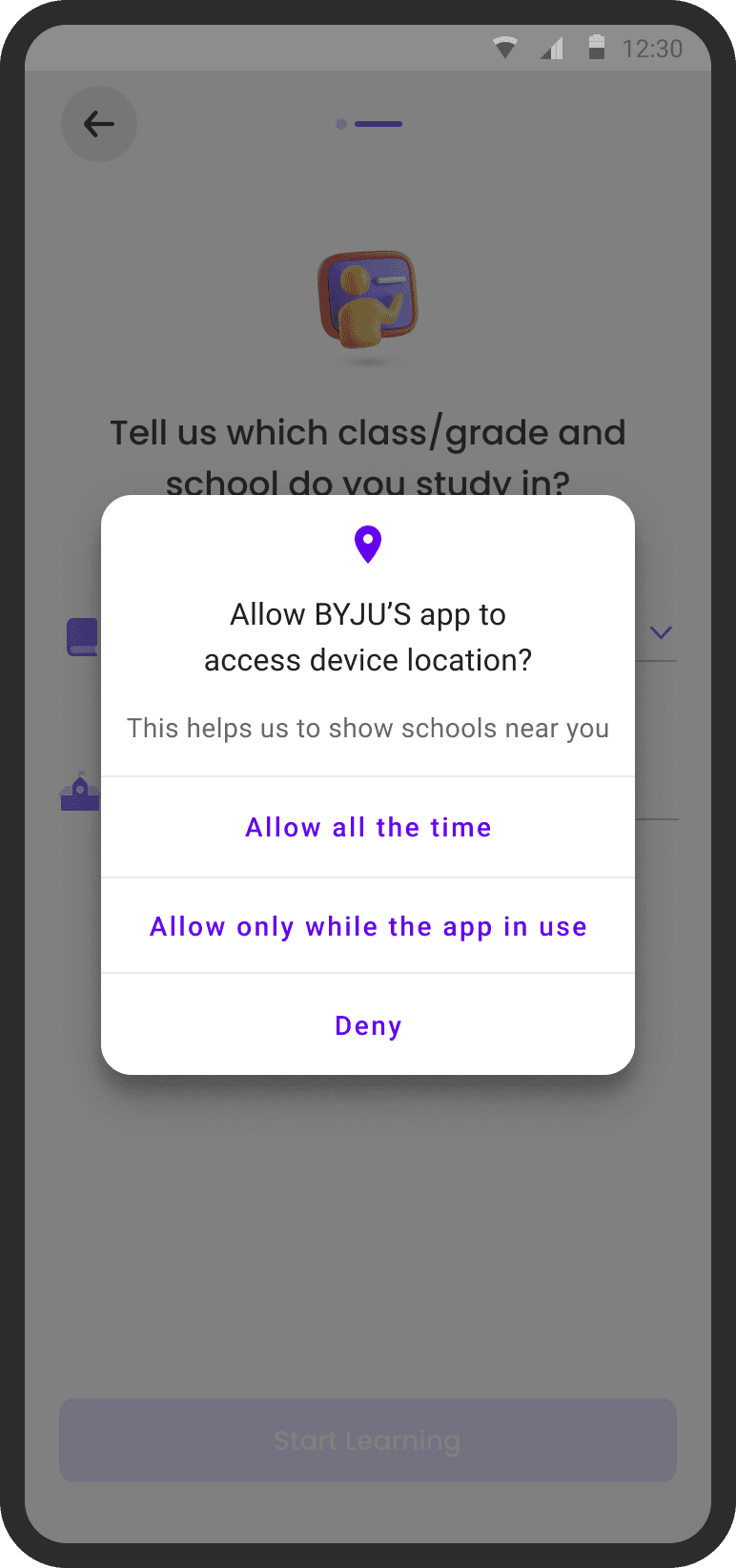
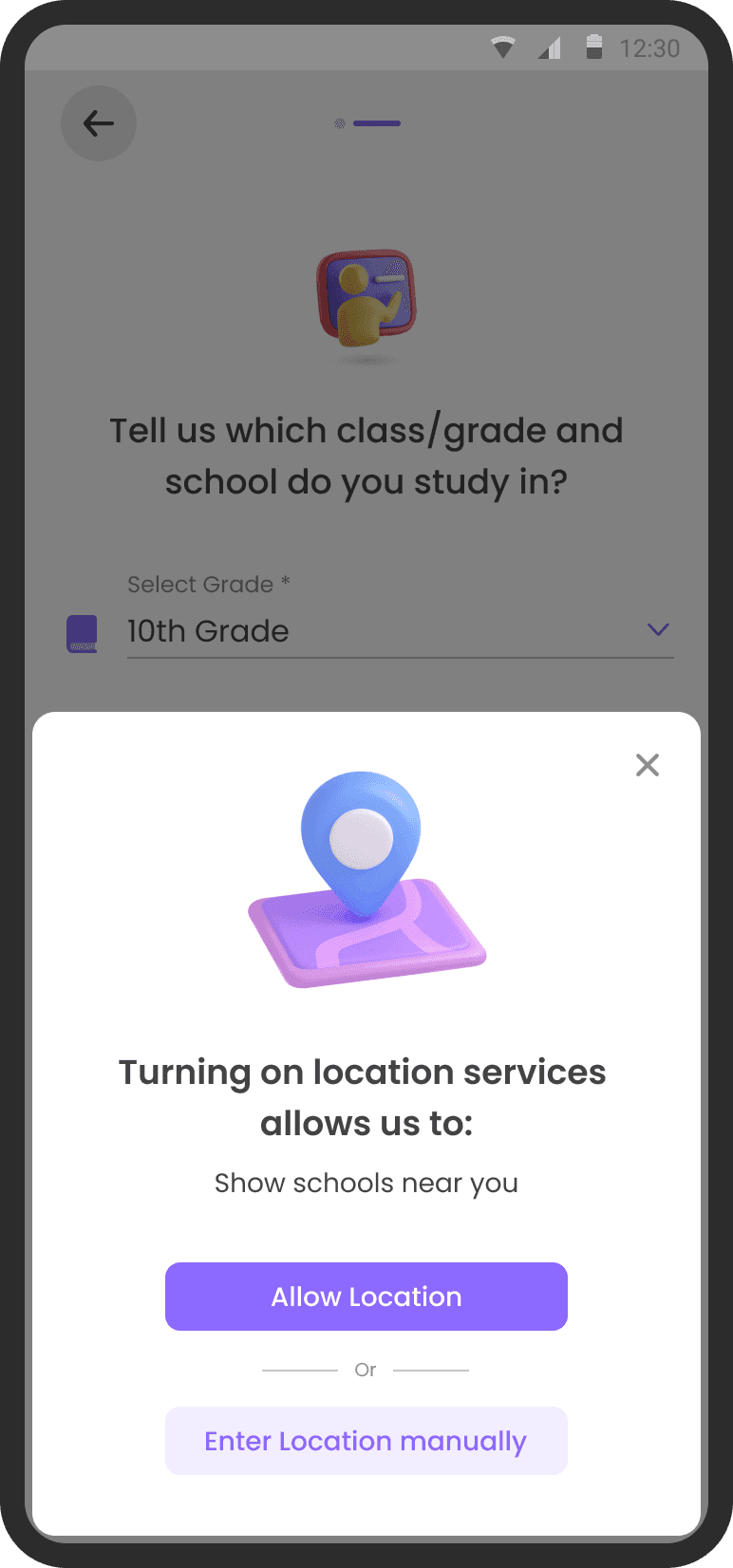
Asking location permission
at relevant place
I improved the UX to ask location permission. It gives clear idea to user why did we need location permission. They also had an alternate option to enter it manually
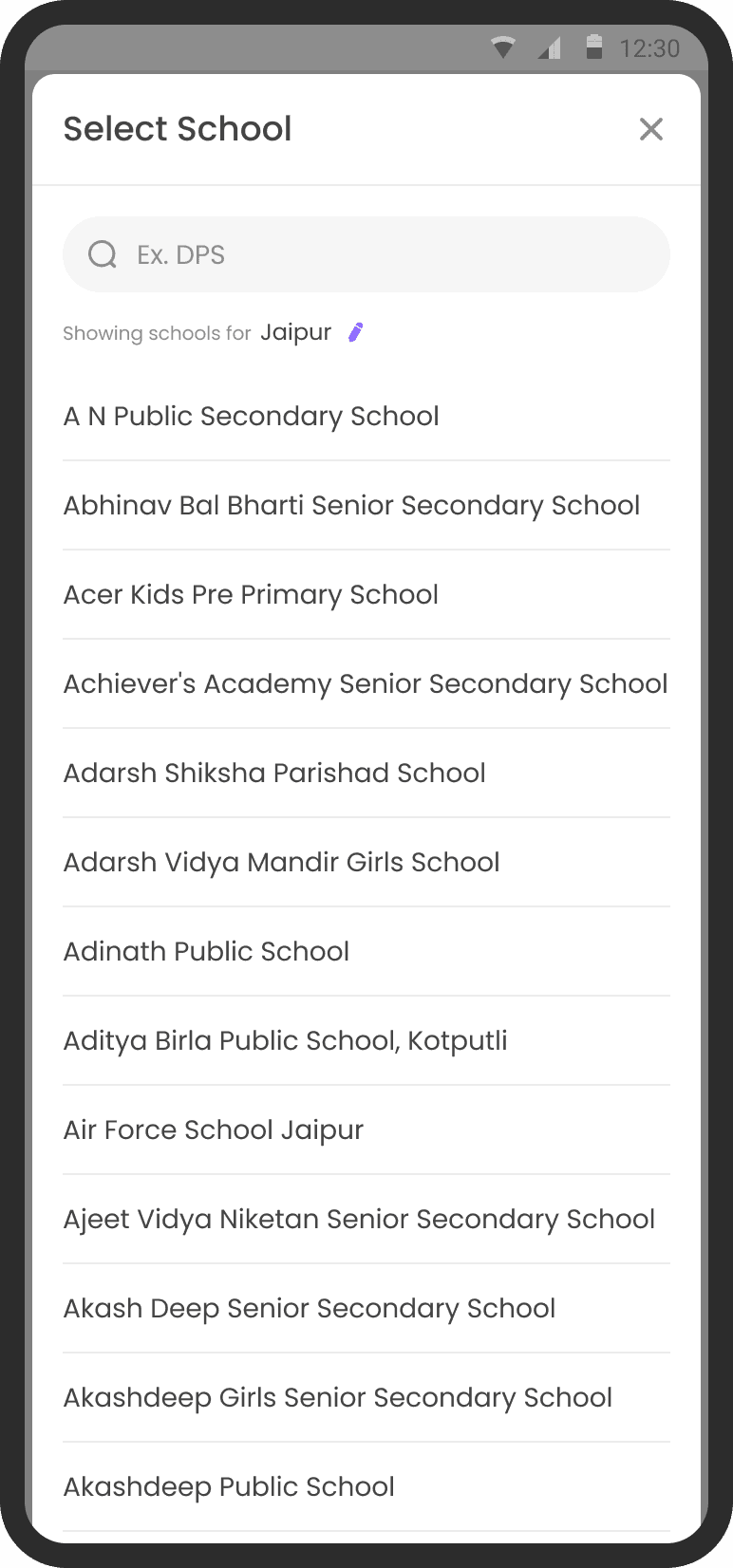
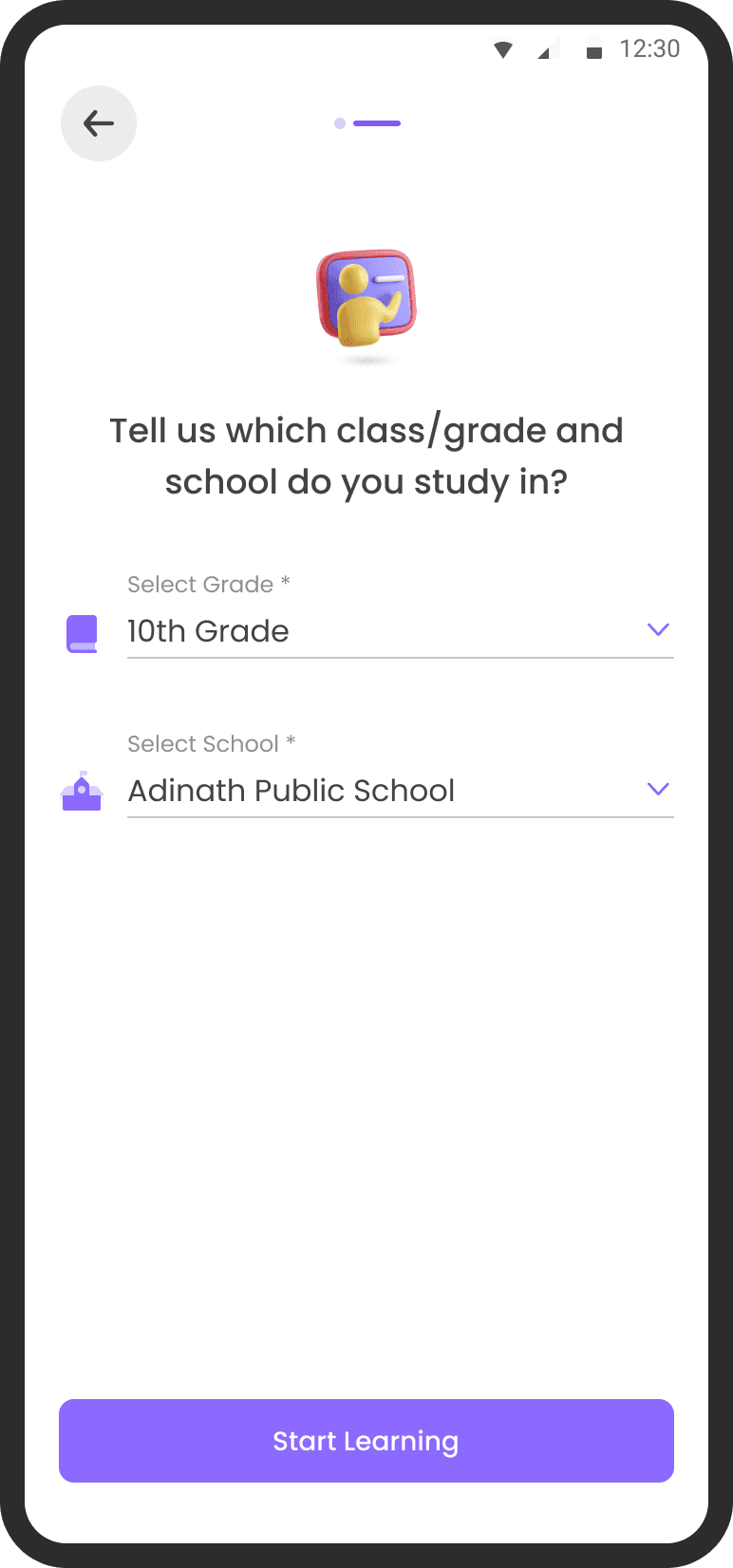
Pre-defined school names
instead of typing school name
User can search their school and it makes the bucketing of users on school level better
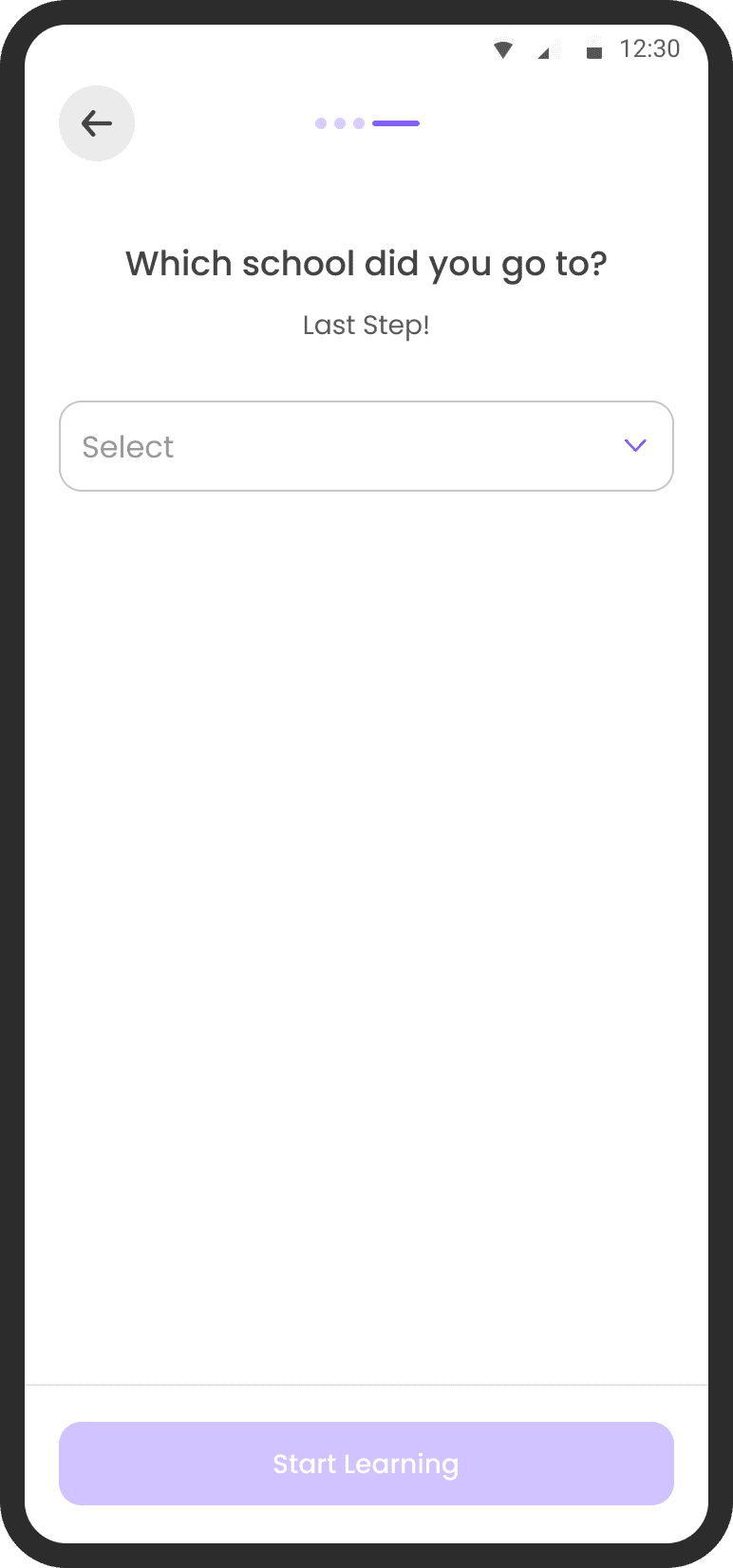
Copy change in CTA
I changed the copy from ‘Create account’ to ‘Start Learning’ to sound less sales oriented



Labour Illusion at work
Making users wait for something they requested while showing them how it is being prepared creates the appearance of effort

Implementing Law of Proximity
In Variant B I grouped the similar info into 2 groups and divided them on 2 screens
Using Auto-fill
Auto fill saves users time and provide more accurate data for marketing and re-targeting
Visibility to all grades
Instead of using a list I chose to go with pills which takes less space and gives more visibility to other grades in first fold
Contextual selection of
school
School did not affect the quality of lead for college students hence I decided to make it contextual
Asking location permission at
relevant place
I improved the UX to ask location permission. It gives clear idea to user why did we need location permission. They also had an alternate option to enter it manually
Pre-defined school names
instead of typing school name
User can search their school and it makes the bucketing of users on school level better
Copy change in CTA
I changed the copy from ‘Create account’ to ‘Start Learning’ to sound less sales oriented
Labour Illusion at work
Making users wait for something they requested while showing them how it is being prepared creates the appearance of effort
VARIANT B


2/3
How to reduce the drop off rate in OTP verification process
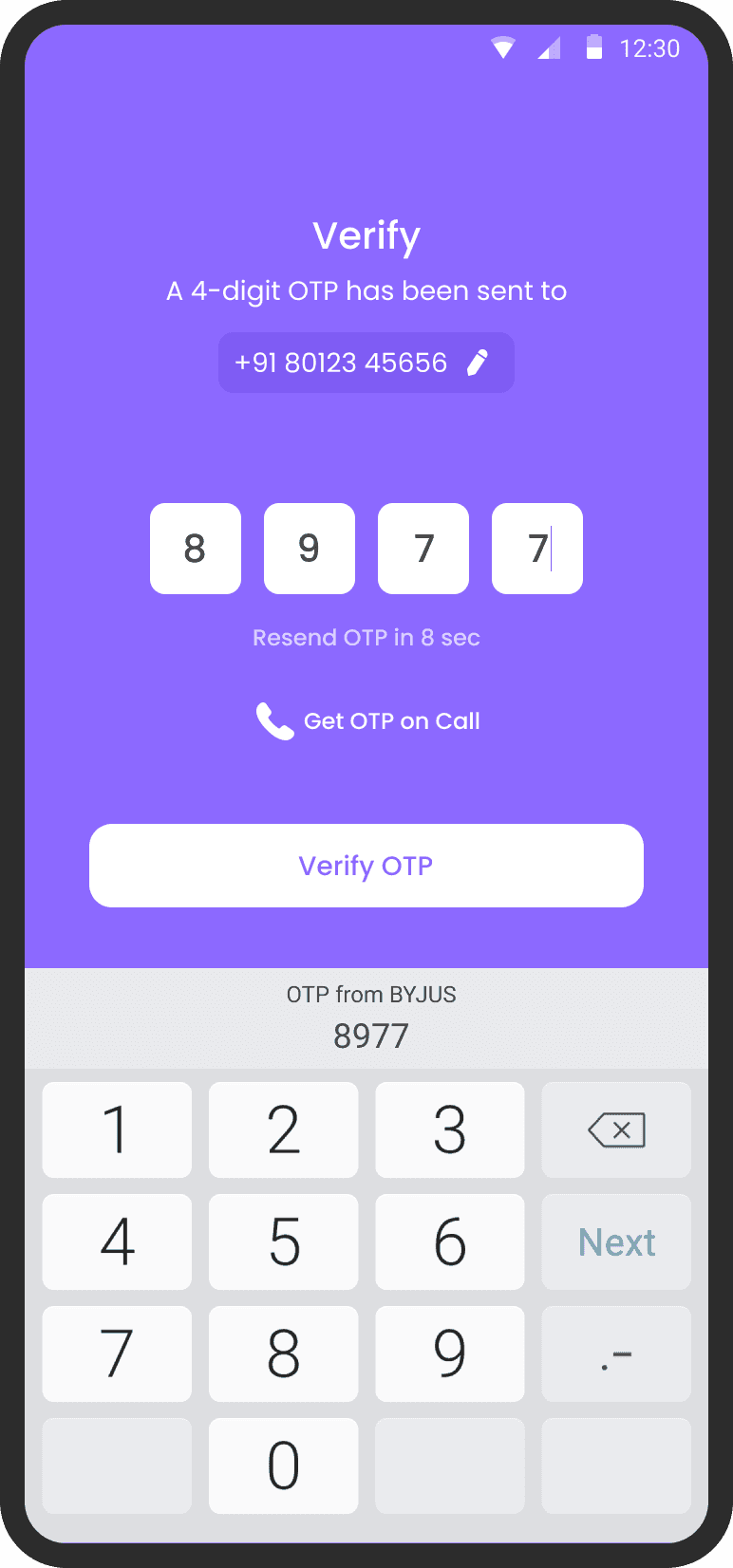
More ways to receive OTP
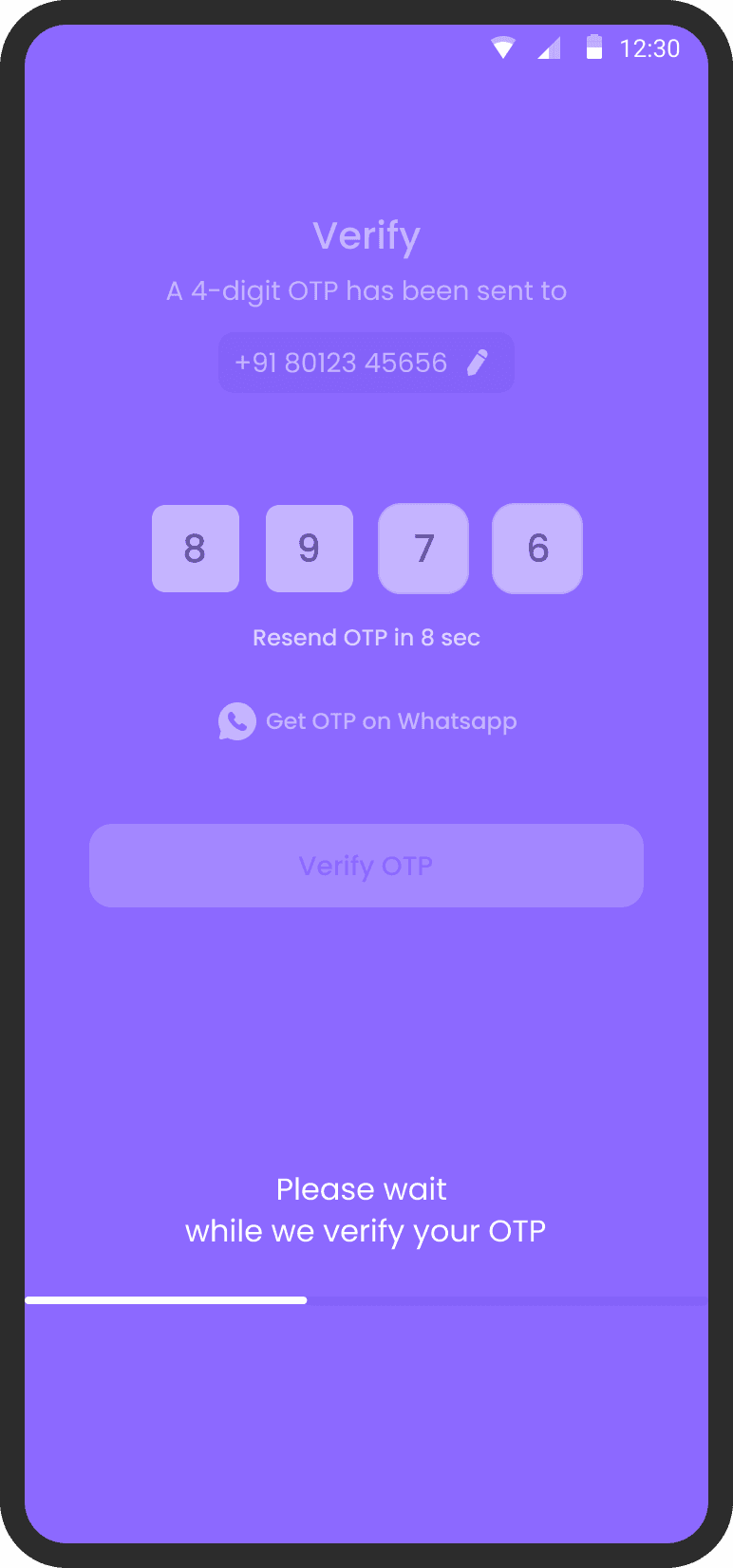
If user does not get OTP after 2 attempts then we will enable get OTP on call. If OTP on call does not work then user can get OTP on Whatsapp
Multiple vendors for OTP
We enabled more reliable OTP service vendors and added back ups
Fixing TTFB with the
help of tech
TTFB (Time to First Byte) was reduced from 750ms to 180ms
Enabled Autofill OTP from Keyboard
It reduces the chances of error and makes the journey more efficent
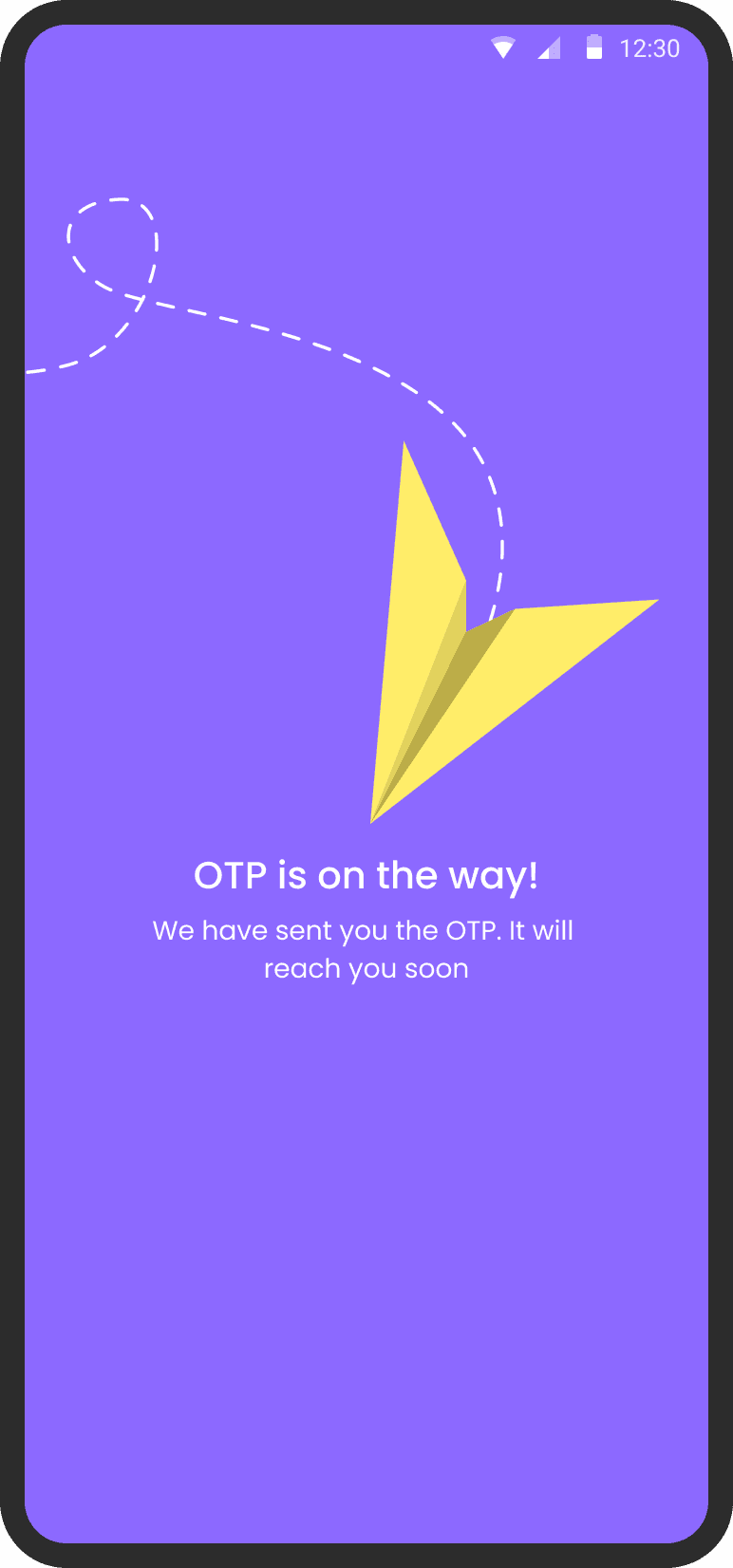
Loading screen in case of OTP Delay
We introduced this loading state to keep user involved in the process

1/3
How to reduce the drop off rate between
Install → Mobile Number
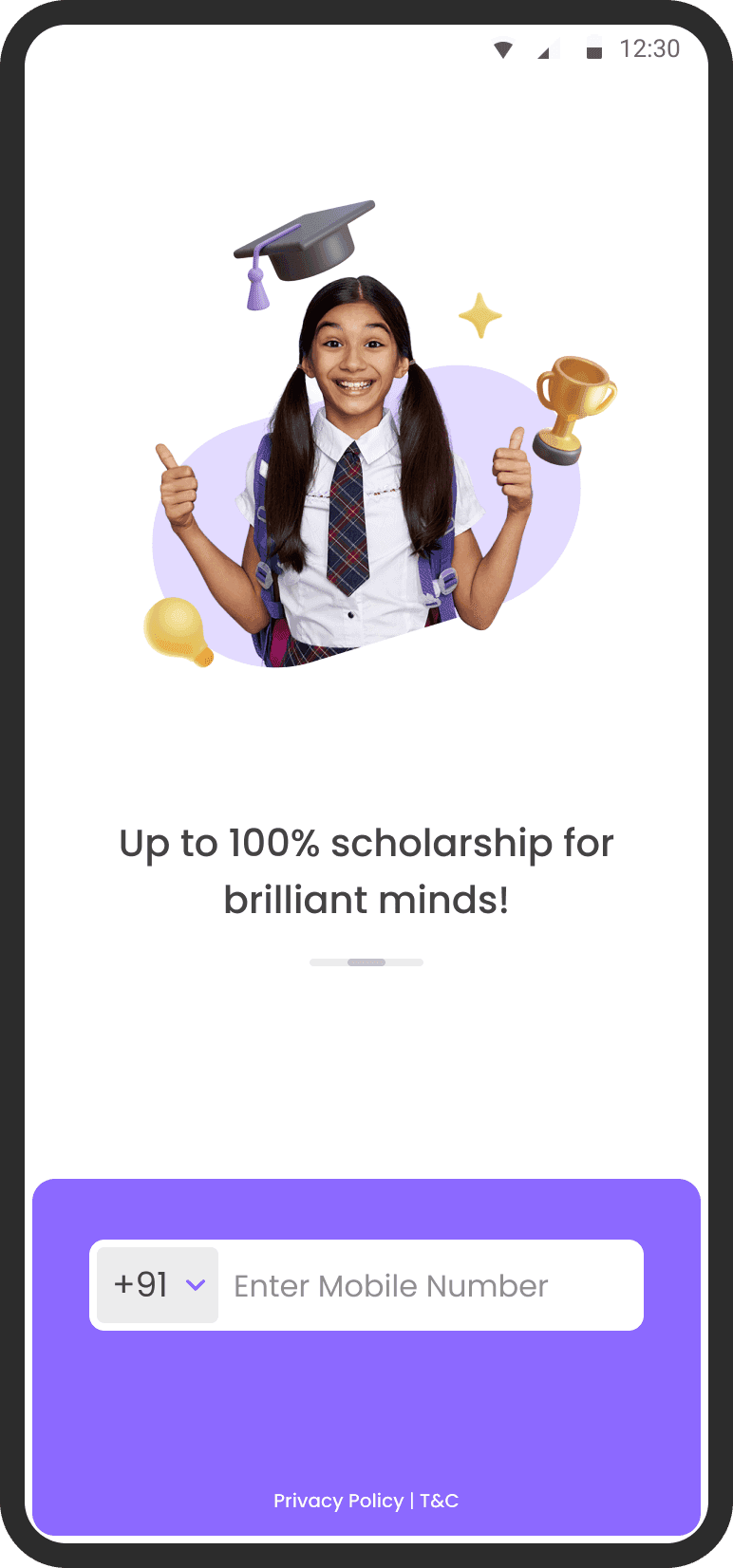
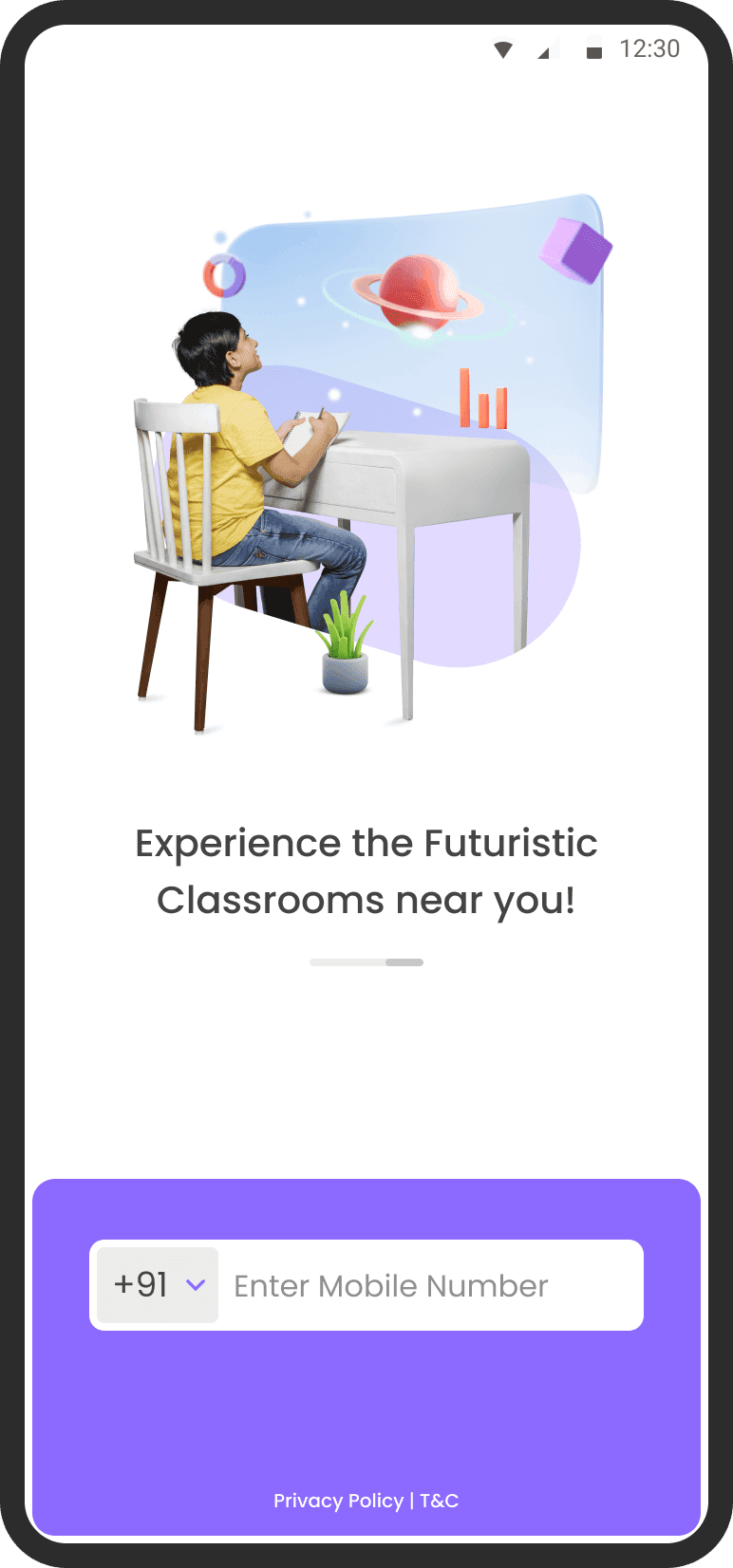
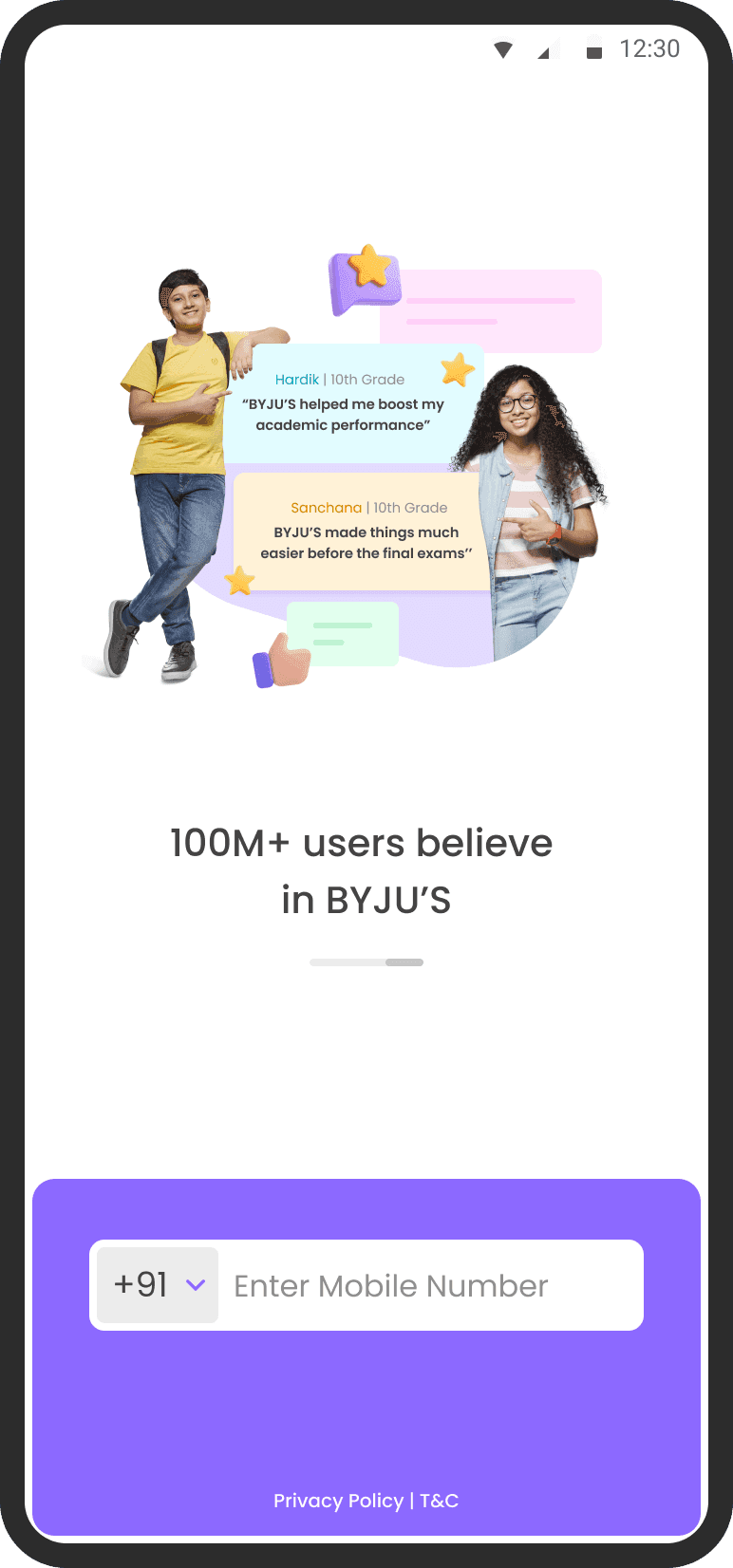
Priming the user.
Priming consists of subtle visuals that influence how we respond.
In the walkthrough screens we introduced relevant visuals with the App’s USPs.
Removed location permission
I removed location permission from launch screen and made it contextual
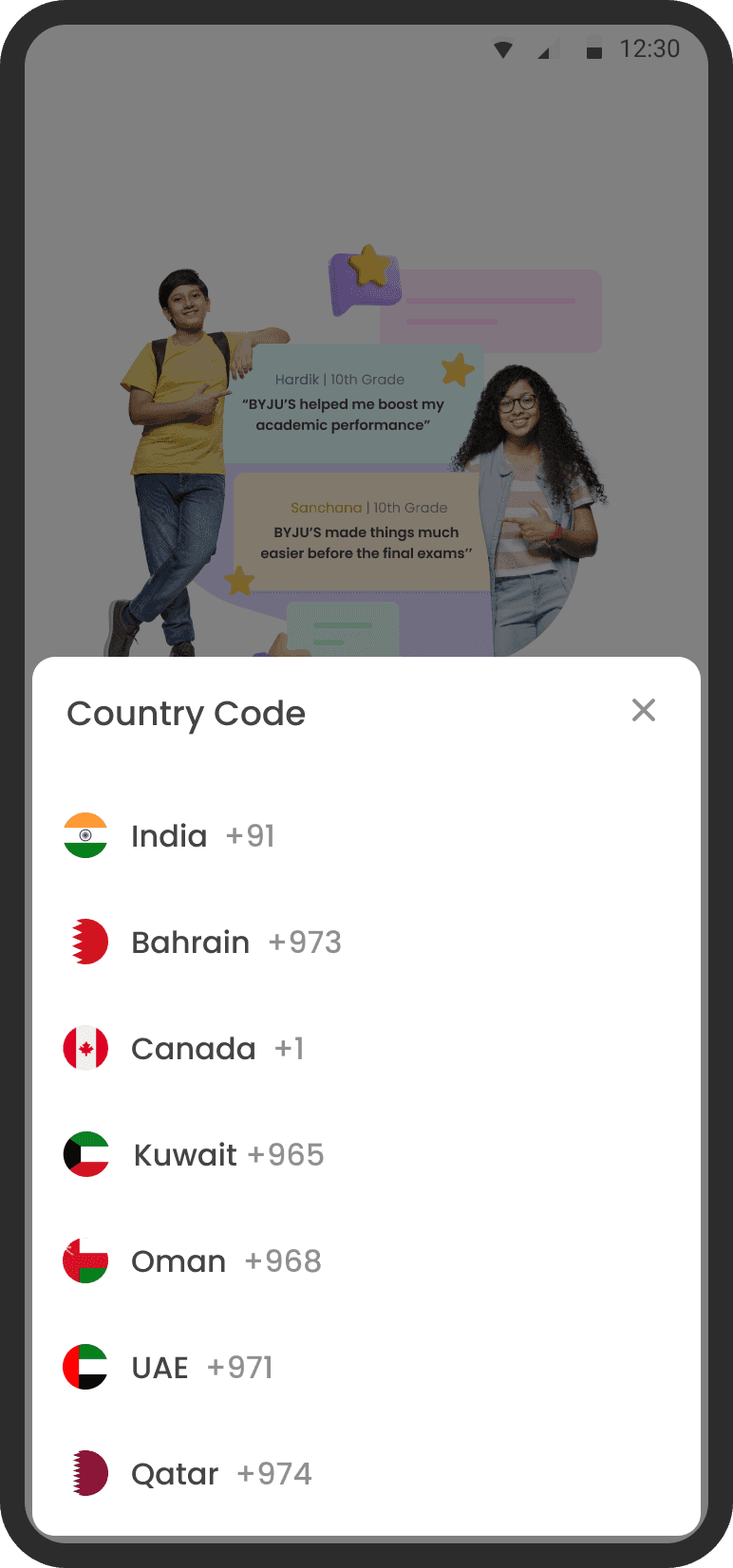
Scalable Country code selection
This bottom sheet is more scalable than previous approach
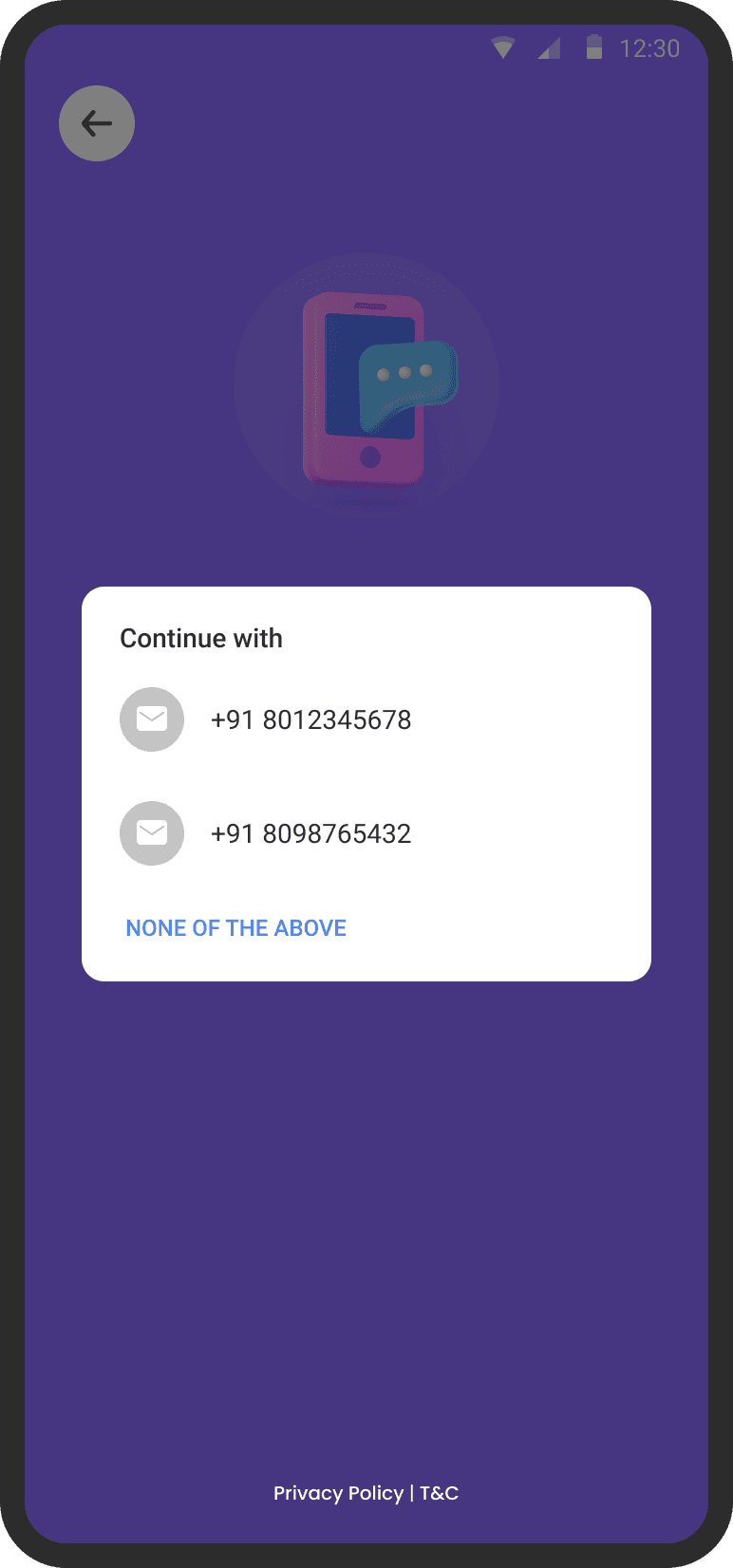
Autofill phone number
Auto fill saves users time and provide more accurate data for marketing and
re-targeting. Users also makes less mistakes if they don’t have to type phone number




Optimising all funnels 1 by 1
Concepts & Visual exploration
I along with my teammate ideated on multiple concepts and their visual aspects to come up with better solutions which might resonate with our user group
Who should care?
Our primary customer base has the same needs as these personas. (Reside in India 2 & 3 cities)

Hello! I am Mukesh
I am 42 years old, a salesman at a company.
I live in Samastipur district and I earn around
₹60k per month.

Hello! I am Pankaj
I am 16 years old, a science student who wants to go to IIT. I live in Jaipur district.
Designing the solution
Research
1.
Benchmarking and Competitive Analysis
We analyzed onboarding flows of various apps with multi-step journeys that effectively engaged users throughout the process. Additionally, we conducted a competitive analysis of leading EdTech apps to understand how they optimize their onboarding funnels to reduce drop-offs and improve conversions.
2.
Testing solutions with users
We visited BYJU’s centers to interact directly with students and parents. Through usability testing with 20 students and 20 parents, we evaluated the clarity of our concepts and validated initial ideas. The insights gathered helped us confidently move forward with two of our proposed solutions.
Learnings from research
58% users preferred Variant A over Variant B. They found one info at a time less overwhelming
Parents preferred Variant B more because it had less number of steps
Users could relate to pictures of human rather than illustrations
For long onboarding journey, they are using progress bar to indicate the steps left
Permission asked at the right time as per the context
Divide complex input fields in multiple steps
Provide more context while asking for information
At first, let the user explore the app and ask them for the data when they are showing interest in the app
Limitation while redesigning
onboarding journey
Each input field in the onboarding journey serves a critical function-enabling the sales team to engage users effectively and supporting the marketing team with data for personalized targeting. As such, these inputs are necessary and cannot be eliminated or postponed.
Strategy & Timeline
To address high drop-off rates in the onboarding flow, we began with structured research-conducting Usability Testing, Competitive Analysis, and Benchmarking against industry-leading apps. These insights informed the design of five distinct onboarding approaches, including a conversational, chat-based experience.
We collaborated closely with PMs and engineering to assess feasibility and business impact. After stakeholder alignment, we shortlisted two promising variants for A/B testing to validate performance based on conversion metrics and user friction points
Research
Idea explorations
Stakeholder alignment
Usability testing
Prototyping and iterations
Developement
Measuring success metrics
~2 months
A rough visual representation of the whole process form inception till mesurement
Location permission is asked at the time of launch of the app. There is no reason given to user why
do they need to provide this information
Auto fill phone number was not enabled in the app which can reduce the time and typing effort for user
Auto read OTP is missing and OTP service vendors were not up to the mark
Too many input fields on a single screen and all of them are mandatory. No context is given
why this information is required.
No auto fill for email input field
No reason to ask for location
Auto detect current location icon does not have visual weight
School name is asked to every user (not required for K12+)
The list is really long for user to see other options
A missed opportunity to tell users that the data they have provided was used to personalise their experience
Phone number fill suggestion is missing

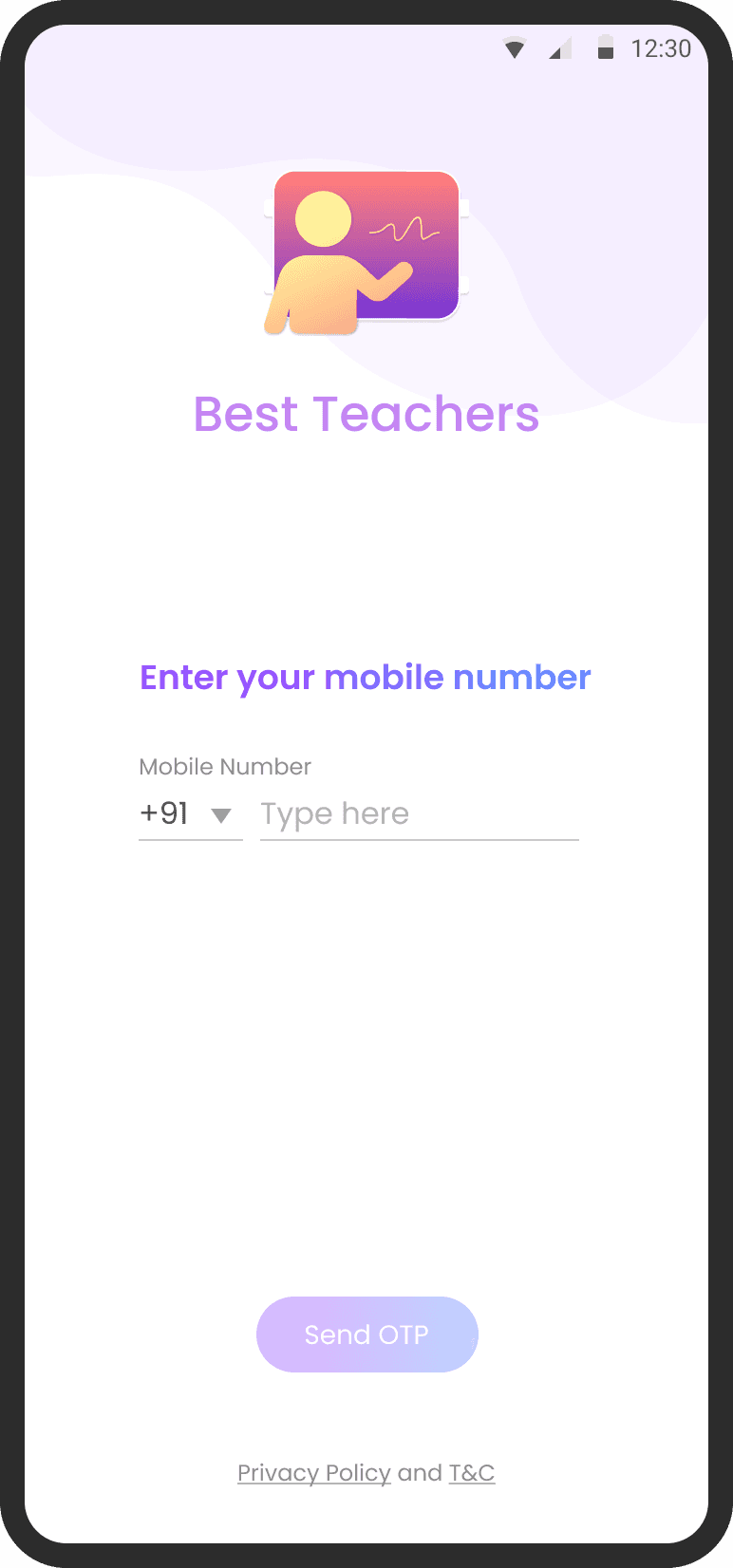
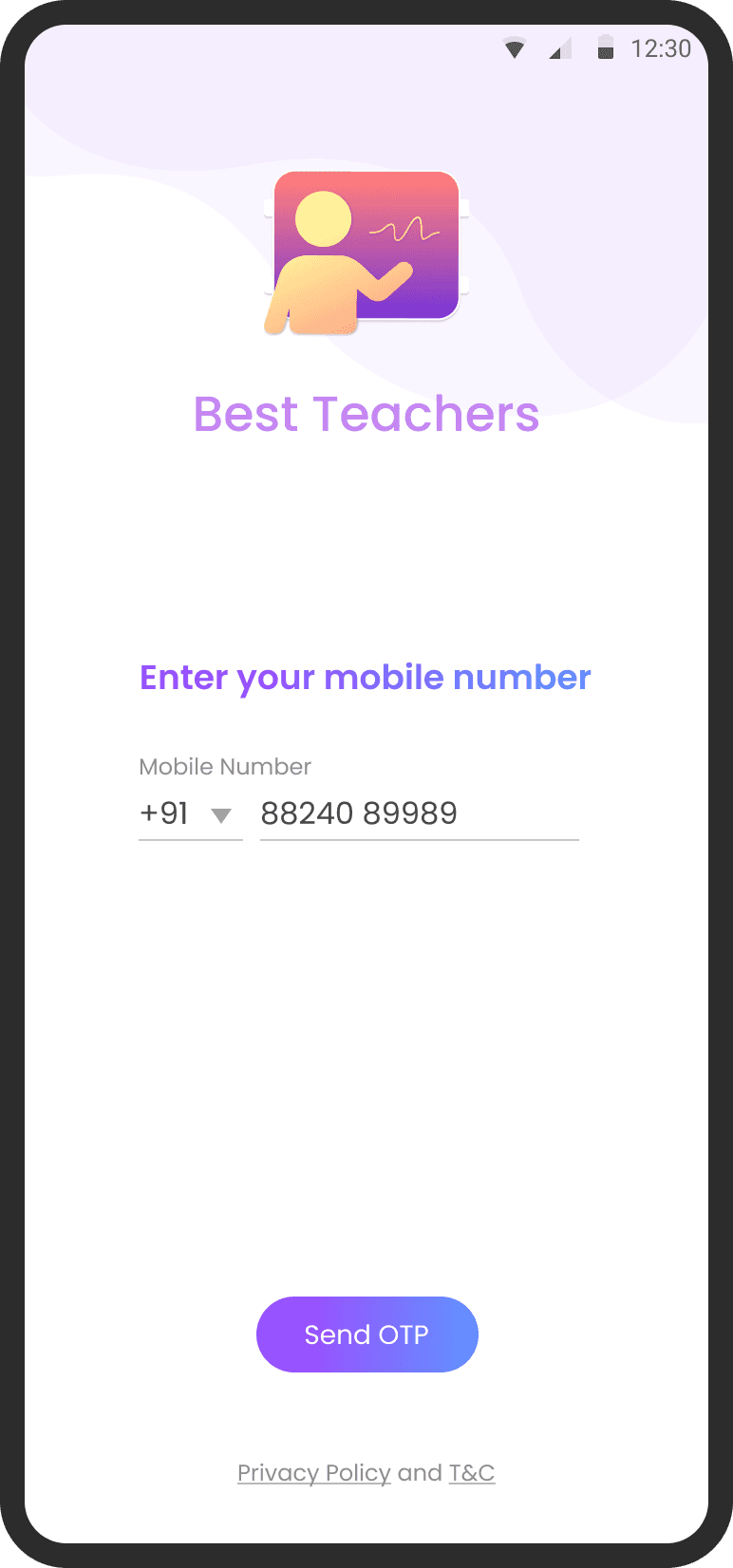
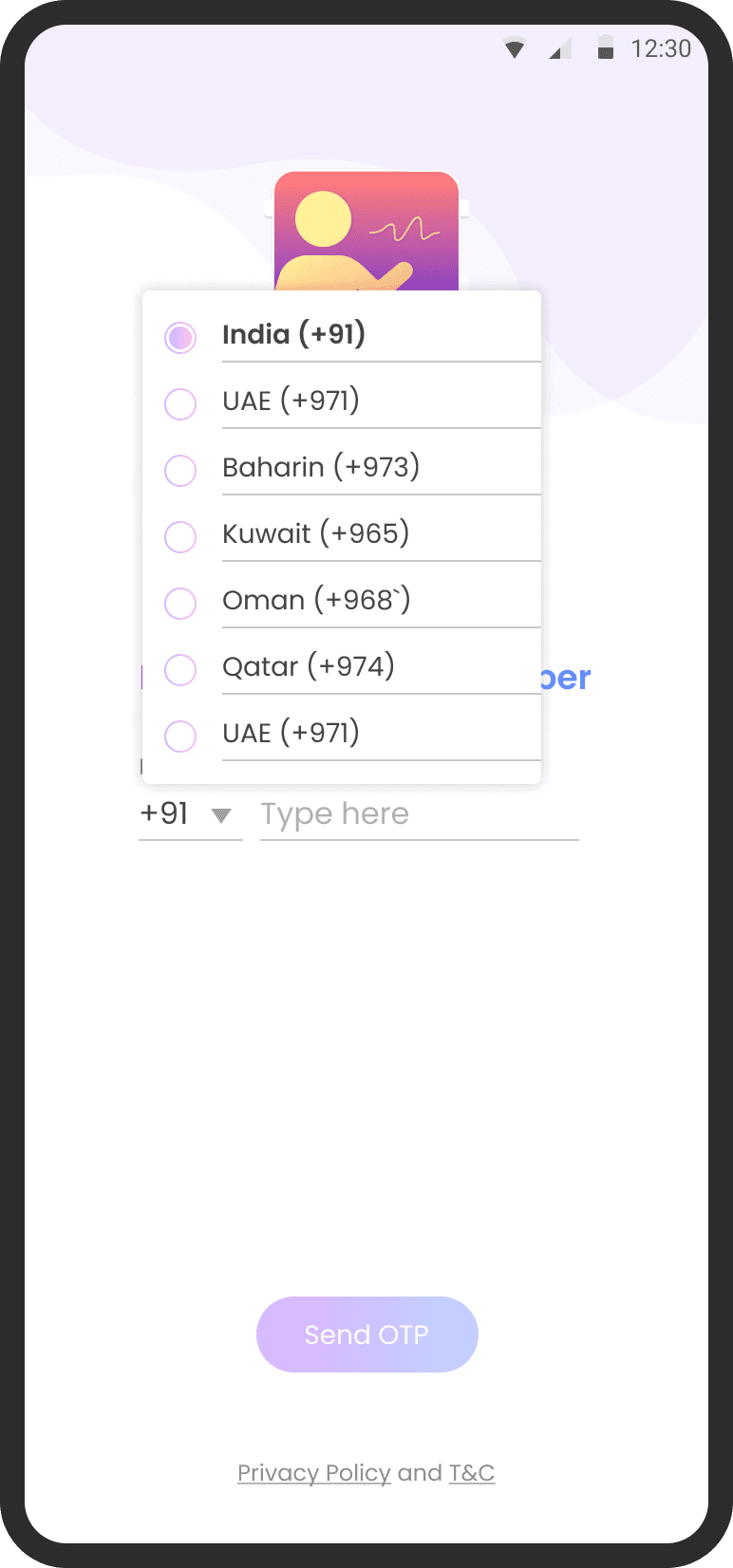


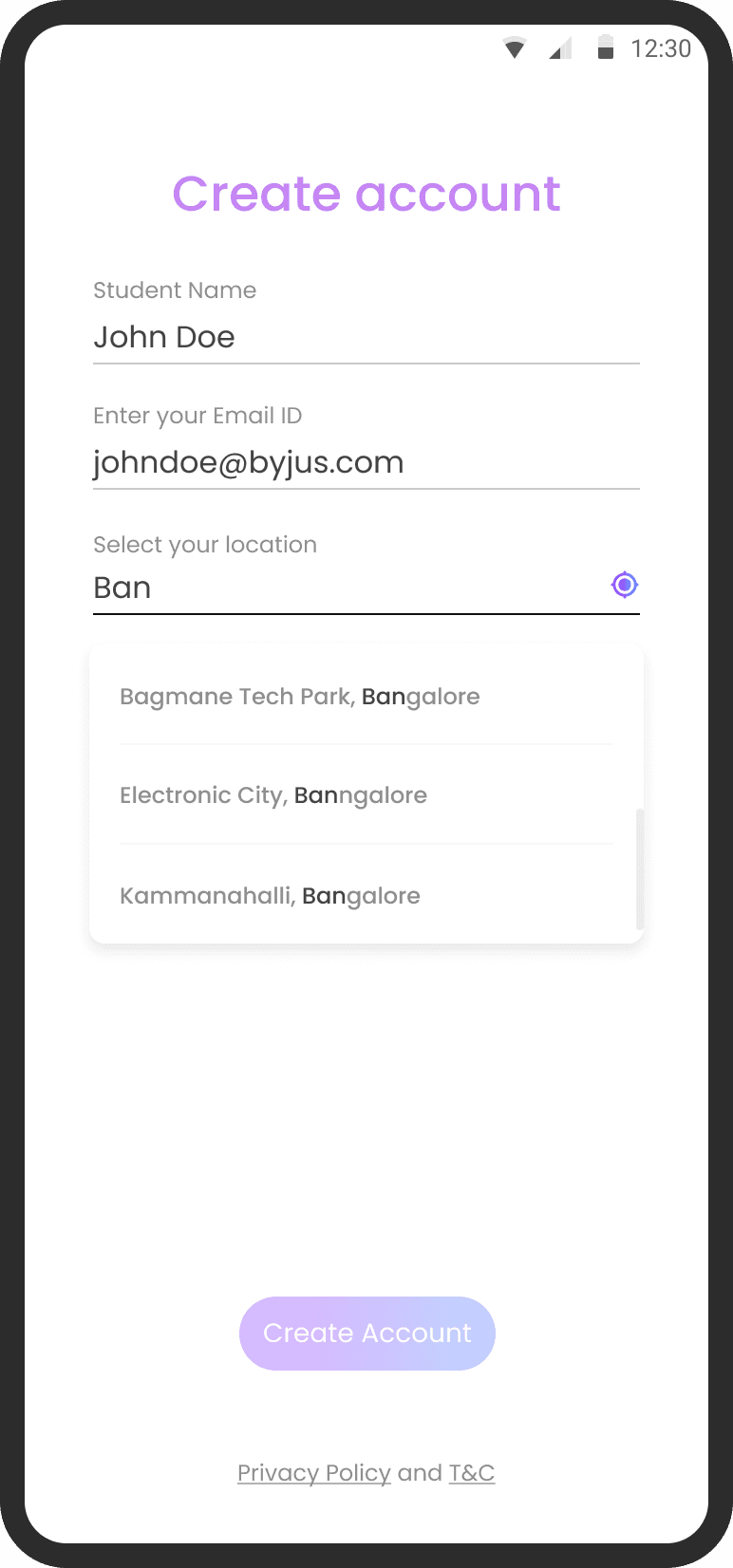
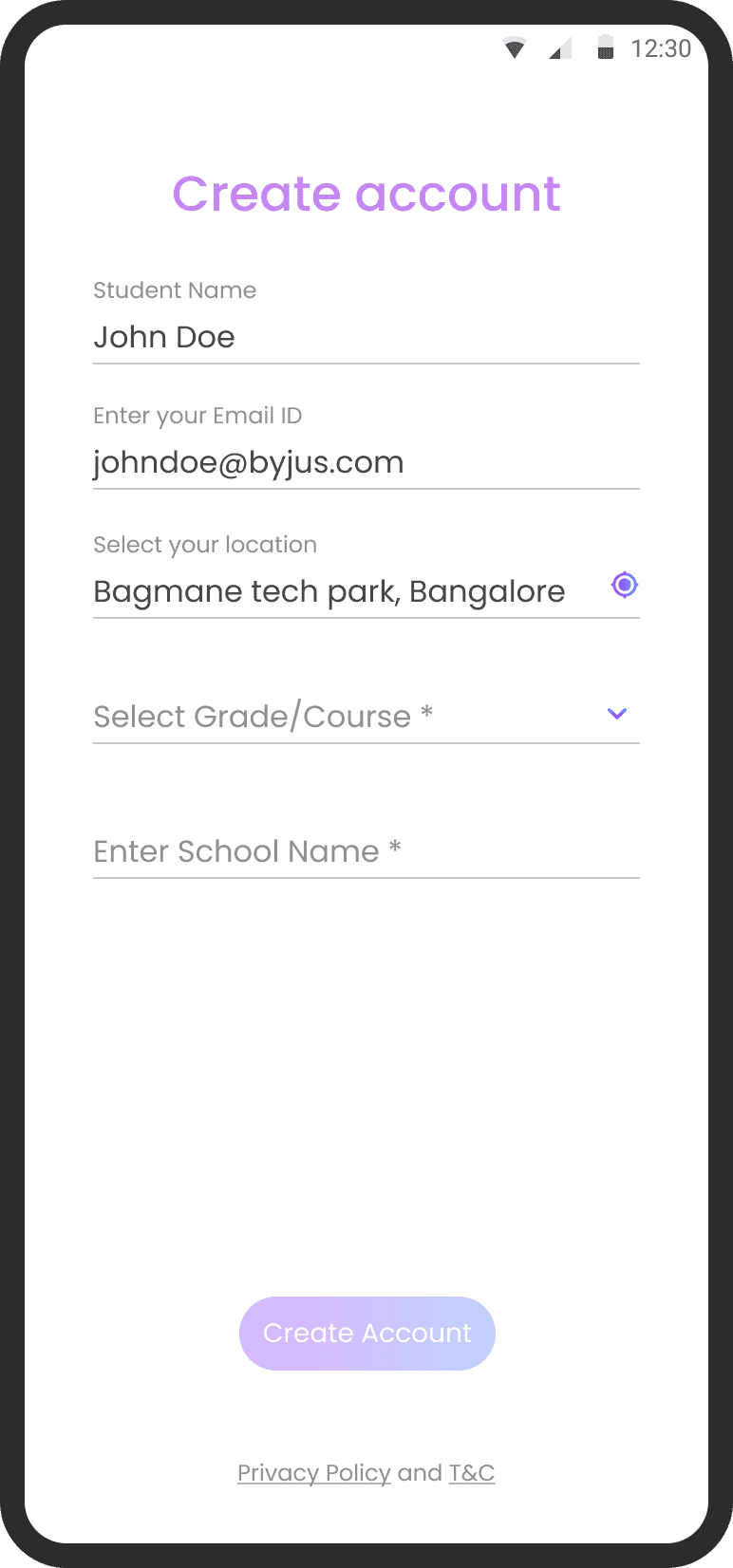

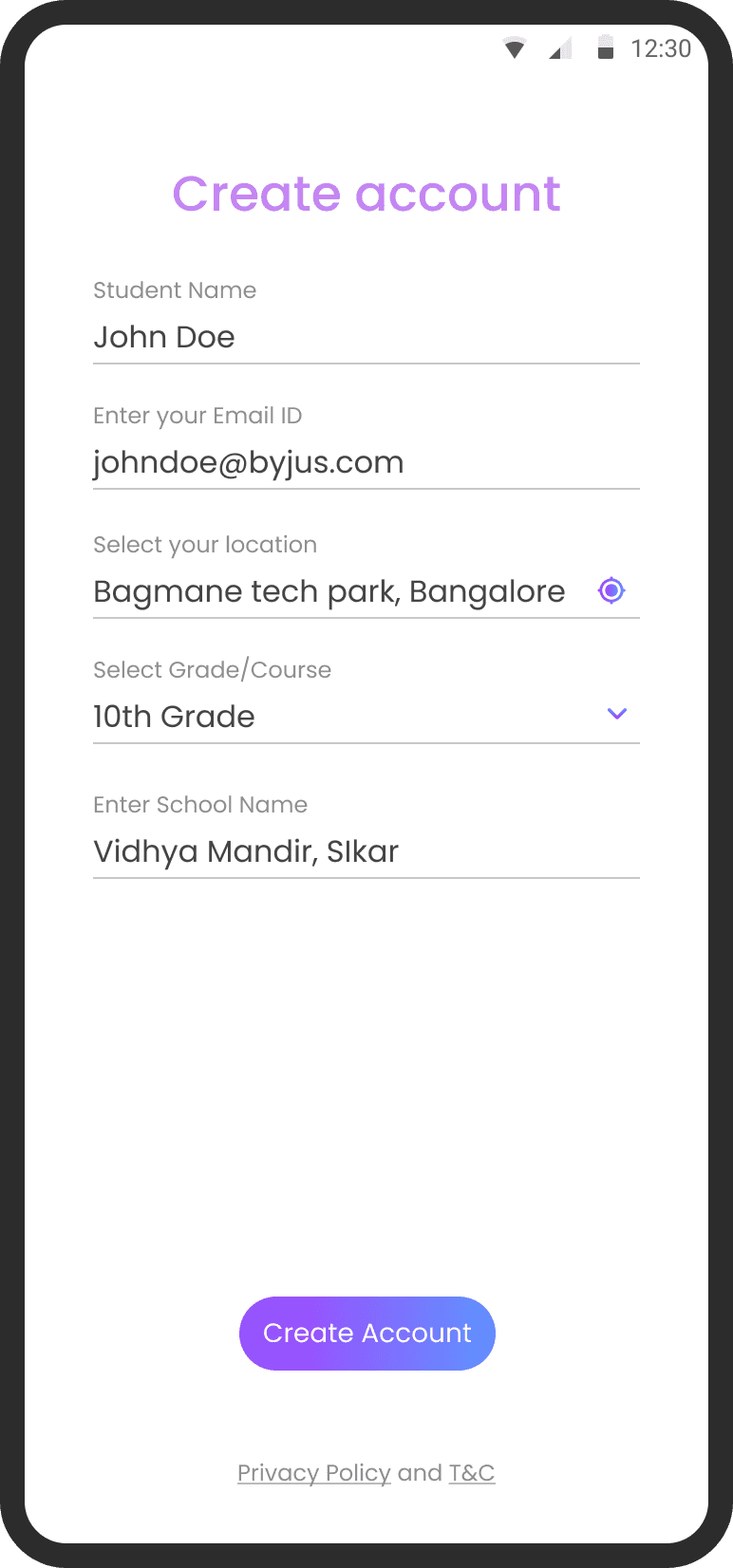
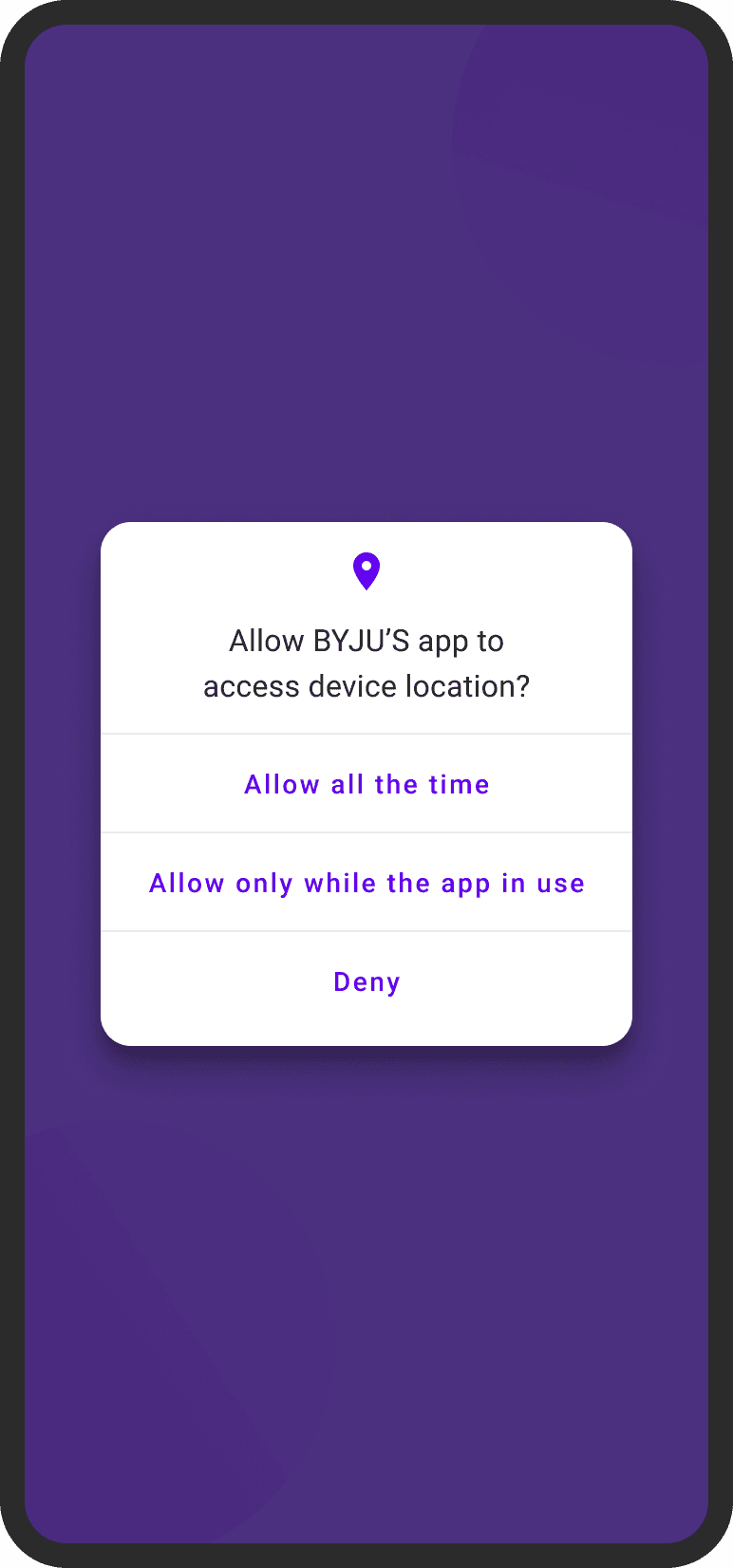

How did the old user onboarding look?
How did we discover the problems
We tried multiple research methods to discover the underlying problems in Onboarding
1.
Quantitative analysis
Collaborated with the Data Science team to analyze the existing data and gain insights
2.
Qualitative analysis
Interviewed users who dropped off and users who completed onboarding journey
3.
Screen recordings
Watch how users interact and validate hypothesis
4.
Listen to customer support
Talked to customer support team to understand
why users dropped off.
Project Overview
What
BTLA’s current onboarding experience consists of three mandatory input screens that users must complete before accessing the home feed.
These screens act as sequential funnels, and each contributes to cumulative drop-offs between the initial app launch and successful onboarding-commonly referred to as "Homepage Conversion". This project is all about how did we increased the conversions by revamping the onboarding journey by using A/B testing and usability testing
Overall Business Impact
+3%
Increase in
Lead Conversion

+22.3%
Increase in
Homepage Conversion
~10%
Reduction in CPL
(Cost per lead)
Problem to solve
Approximately 45% of users abandon the app during onboarding, primarily due to friction caused by steps like phone number verification and form-filling, even before they get a chance to explore the app’s core features. This high abandonment rate directly impacts user acquisition and engagement metrics and ultimately loss in business.
This posed a direct threat to:
Lead generation pipelines (phone/email data not captured)
Sales outreach
Marketing personalization
Revenue realization from free-to-paid conversions
Funnel/Screen
Funnel 0+Funnel 1/Screen 1
Funnel 2/Screen 2
Funnel 3/Screen 3
Stage
Install +
User location+Mobile number
OTP Authentication
User Details
Conversion %
83%
75%
55%
Drop off %
17%
8%
20%

89%
-6%
-11%
-8%
-20%
83%
MY ROLE
Lead UI/UX Designer
TEAM
2 PMs, 1 SPD, 1 VD
6+ Engineers & more
TIMELINE
~2 months
What did I do?
Research
Quality control and execution
Low and High fidelity designs
Design Strategy
Collaboration with Product, Analytics, and Engineering
Goals
BUSINESS GOALS
Improve Lead conversions and Homepage conversions
Our objective was to increase lead conversions by 4–5% and homepage conversions by 20–25%, ultimately driving a significant uplift in overall revenue.
USER GOALS
Let users explore the app and experience the features
45% of users dropped off before completing the onboarding process, never reaching the app’s core features. Among the 55% who did onboard, many struggled with account creation due to friction in the flow. Our objective was to simplify the onboarding experience to reduce drop-offs and ensure a smoother entry into the app.
BYJU’S is a global ed-tech company, providing highly adaptive, engaging and effective learning solutions to more than 150 million students around the world. Founded in India in 2011, BYJU’S mission is to make high-quality learning accessible to students everywhere.

View TL;DR
Quick summary of this project

Reducing Drop-offs and Improving Lead Conversion in BTLA Onboarding
+3% Lead Conversion | -10% CPL | +22.3% Homepage Conversion
Learnings
1.
Small UI tweaks = Big results
Even minor changes in visuals, UI elements, and microcopy across both variants led to noticeable improvements in user engagement and completion rates. This reinforced the value of attention to detail in high-impact touch-points.

2.
Power of Prototypes is real
Interactive prototypes allowed us to observe real user behaviour early on. Usability testing with five design variations helped us narrow down to two high-performing options, streamlining our decision-making process with clarity and confidence.

3.
No data = No insight
We learned that continuous experimentation works best when backed by data. By tracking where users drop off in the funnel, we could clearly see where they struggled. This helped us focus on fixing the right problems and make design changes that improved both the user experience and business results.

What did not go well
Missed opportunity to connect onboarding changes to Order/Visit and Revenue metrics for full funnel visibility
Next Steps
1.
Continue optimizing micro-moments within the onboarding journey based on behavioural data
2.
The onboarding experiment ends at homepage conversion. There's no follow-through to see whether variant 1 users stayed longer or performed better.
3.
Shift to common onboarding stack to
streamline efforts
4.
Continue improving key drop-off moments